
 TapToConnect
Reels, stories and Shorts.
The right format per channel.
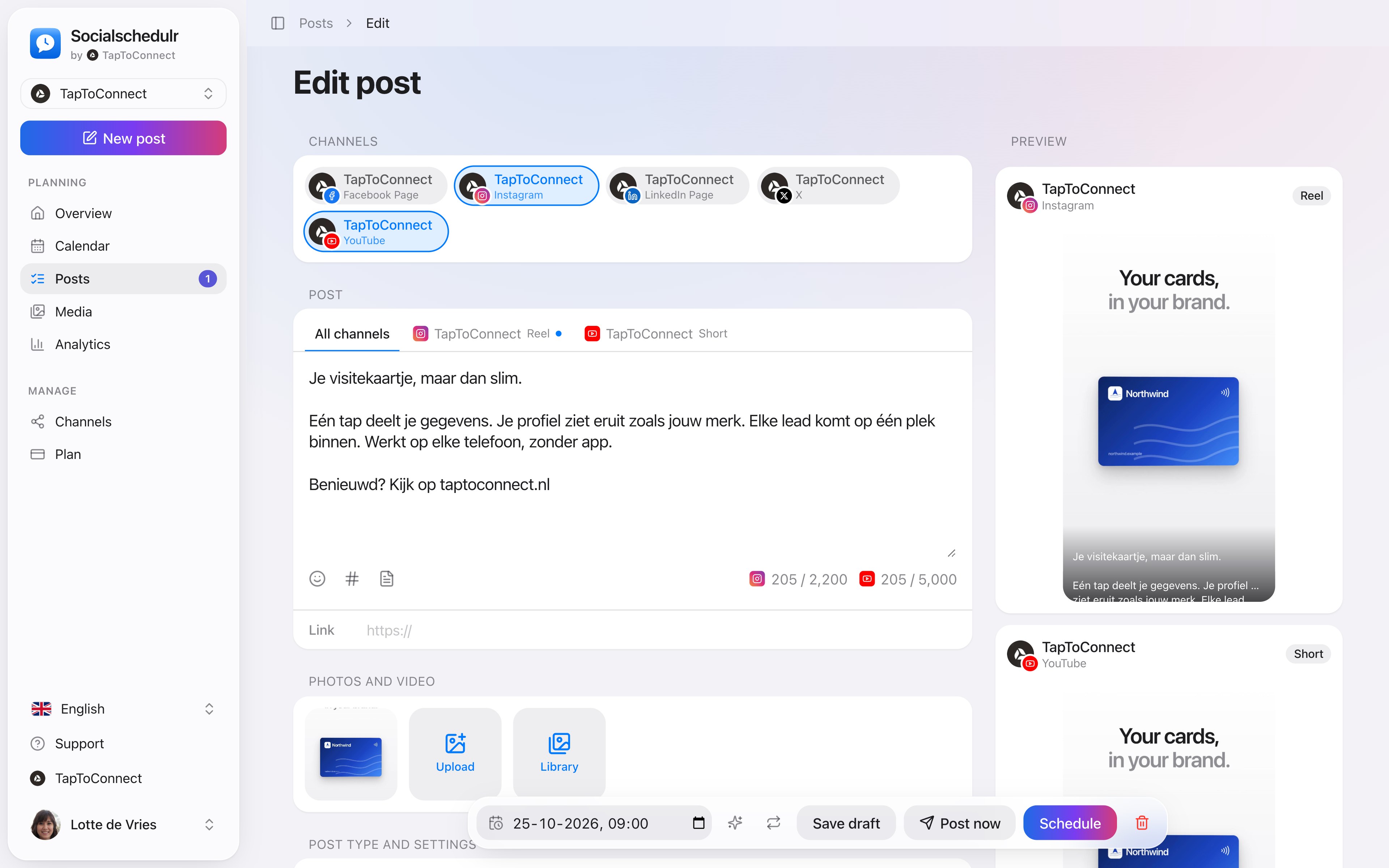
The same post can be a Reel on Instagram, a Short on YouTube and a regular post on Facebook. You choose per channel what it becomes.
In short
- Facebook and Instagram: post, Reel or story
- YouTube: video or Short, with title, visibility and tags
- TikTok: video, with settings for comments, Duet and Stitch
- Socialschedulr checks whether your file meets the requirements
How it works.
- 1
Pick your channels
Post type and settings appears at the bottom.
- 2
Choose the format per channel
For example Reel for Instagram and Short for YouTube.
- 3
Fill in the settings
Such as the title for YouTube or who may see your TikTok video.
What you can post per channel
| Channel | Types |
|---|---|
| Facebook Page | Post, Reel, story |
| Post, carousel, Reel, story | |
| YouTube | Video, Short |
| TikTok | Video |
| LinkedIn and X | Post |
Good to know
- A Reel is exactly one video, preferably vertical 9:16. On Facebook up to 90 seconds.
- A story is one photo or video and stays online for 24 hours. Text and link are not posted with a story.
- A Short is a vertical or square video of up to 3 minutes.
- On Instagram you choose whether a Reel also appears in your feed, and you pick your own cover.
- If something is missing, you see in red what it is. Saving a draft always works.
Step by step
You will find a detailed explanation with every button in the help centre: read the article.
The right format for each channel.
The same post can be a Reel on Instagram, a Short on YouTube and a regular post on Facebook. Socialschedulr checks whether your photos and videos meet the requirements of each platform.
- Reels and stories on Facebook and Instagram
- Carousels of up to 10 photos and videos on Instagram
- Shorts and videos on YouTube, with title, tags and thumbnail
- TikTok settings such as who can comment or make a Duet
Posts and calendar.
Spoken and subtitled in English. You will find more videos in the help centre.
See it in action.
A few parts of Socialschedulr that fit this topic, shown with sample data.
One post, six channels
Write it once and see how it looks on each channel.
Your client approves on their phone
Through a link, without an account. Then the post is scheduled automatically.
Frequently asked questions.
Can I schedule a story with a link or sticker?
No. Links, stickers and mentions in stories cannot be posted through an app. You add those in the Instagram or Facebook app itself.
Read next
Try it yourself.
All your socials in one calendar. Free for 14 days, no payment details. After that, pick a plan or carry on for free.