

Start for free · free forever with 3 channels, no payment details needed · free forever
Socialschedulrby TapToConnect
Guides

Social media, without the jargon.
What works and why.

Practical answers to the questions business owners and marketers ask us most. Short, honest and ready to use.

How it works.

  1. 1

    Connect your channels

    Log in with Facebook, Instagram, LinkedIn, TikTok, X or YouTube. It takes a few minutes.

  2. 2

    Plan your posts

    Write once, adjust per channel and pick a moment. Or import a whole month from a spreadsheet.

  3. 3

    Socialschedulr publishes them

    Right on time, even when you are away. Afterwards, the analytics show what worked.

From knowledge to calendar.

Read a tip you want to try? In Socialschedulr you turn it into a plan straight away.

Calendar

Your whole month at a glance.

All scheduled and published posts from all your channels in one monthly view. The colour tells you straight away whether something is scheduled, published or still a draft.

  • Click a day to schedule a post right there
  • Notes on a day, such as ‘campaign starts’ or ‘shop closed’
  • Holidays and special days for the Netherlands and Belgium
  • Schedule a post on any day from the calendar
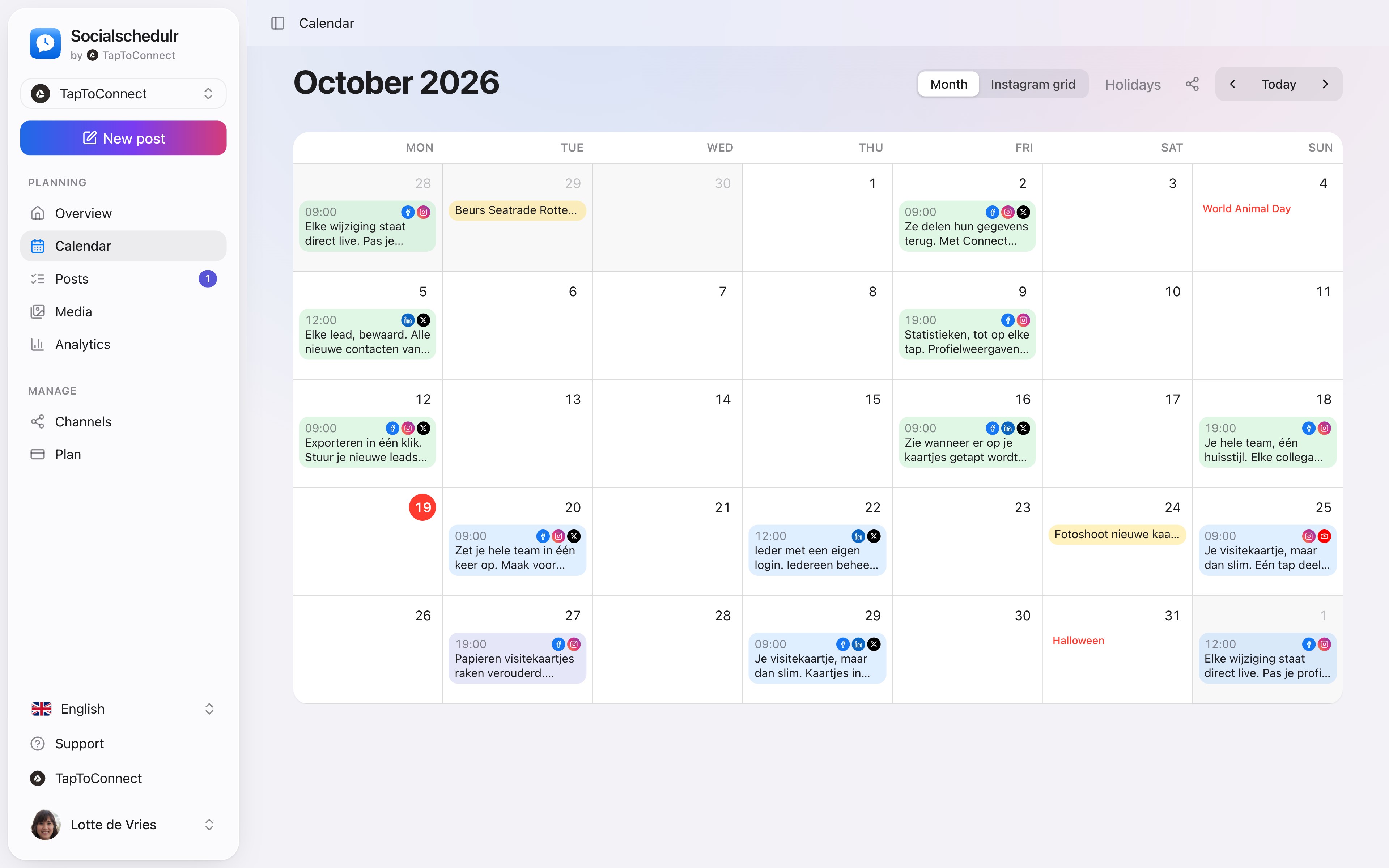
All about calendar
The monthly calendar with scheduled posts per day
Analytics

See what works, and do more of it.

Reach, interactions and followers of all your channels on one screen, compared with the previous period. You see at a glance which posts performed best.

  • Periods from 7 days to 12 months
  • Follower growth per channel
  • Export to CSV
All about analytics
Video · 45 sec

Your first post in five minutes.

Spoken and subtitled in English. You will find more videos in the help centre.

See it in action.

A few parts of Socialschedulr that fit this topic, shown with sample data.

On your phone too

No app needed: your schedule and posts in any browser.

One post, six channels

Write it once and see how it looks on each channel.

Best time to post on InstagramTimes per day from two 2026 studies, and how to find your own best time. Best time to post on LinkedInTimes per day from two 2026 studies, and what your own numbers say. Best time to post on FacebookTimes per day from two 2026 studies, and how to measure it yourself. Best time to post on TikTokTimes per day from two 2026 studies, and why timing counts less on TikTok. How often to post on social mediaA realistic rhythm per platform, and what research says about posting more. Making a content calendarFive steps to a month full of posts, with a worked example. 30 content ideas for businessesNever again stuck for what to post. Making Reels for your businessShort videos that work, with just your phone. LinkedIn for businessWhy your team matters more than your company page. TikTok for businessGetting started on TikTok as a business, without dancing. Making a social media reportWhich numbers to show, and which to leave out. Evergreen contentPosts you can use again and again. AI for social mediaWhere AI helps, and where you should do it yourself. How to use hashtagsHow many, which ones and where to put them. Getting more engagementTen tips for more comments and likes. Choosing a social media schedulerEight questions before you choose. Engagement rate calculatorEnter likes, comments and reach and see your engagement rate. Content calendar templateDownload a monthly plan for Excel, Numbers or Google Sheets. Post to social media from ClaudeConnect Claude to your calendar and schedule posts in plain language. Post to social media from ChatGPTLet ChatGPT put your posts in your calendar, after you confirm. What is MCP?The protocol that lets AI assistants work with your scheduler, in plain language.

Try it yourself.

All your socials in one calendar. Free for 14 days, no payment details. After that, pick a plan or carry on for free.