
 TapToConnect
Using hashtags.
Less is more.
Hashtags help platforms understand what your post is about. A few well-chosen ones work better than a long row.
How many?
- Instagram: a handful of relevant hashtags
- LinkedIn: two or three
- TikTok: a few, matching your video
- X: one or two
Which ones?
- About your topic, not "love" or "instagood"
- Local, such as your city or region
- Your own brand hashtag
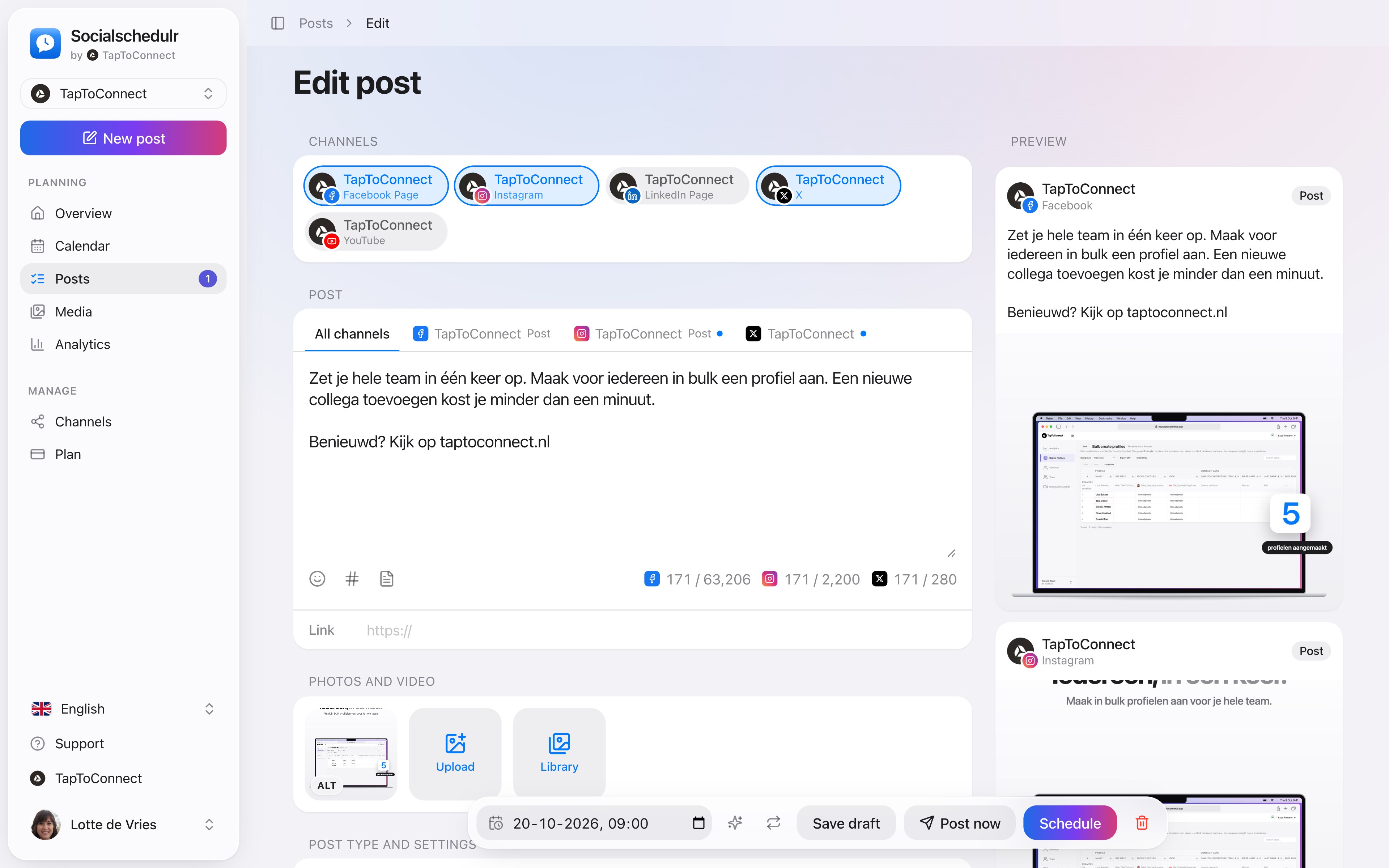
The post editor with a separate text per channel and a preview on the right
Hashtag sets in Socialschedulr
Do you often use the same hashtags? Save them as a set. In the editor, click the hash sign and add the set with one click. Make a set for your industry, one for your city and one for a campaign, for example. Sets are shared with your whole team, so everyone uses the same ones. On LinkedIn and X you can put them in the first comment.
How to do this in Socialschedulr.
Write it once. Adjust where needed.
Pick your channels and write one text. Want to sound more businesslike on LinkedIn than on Instagram? Give that channel its own text. On the right you see how the post looks on each channel.
- A preview per channel of how your post will look
- Character counter per platform, from X to YouTube
- A clear message when something is still missing
- Three suggested times based on your own analytics
Posts and calendar.
Spoken and subtitled in English. You will find more videos in the help centre.
See it in action.
A few parts of Socialschedulr that fit this topic, shown with sample data.
A whole month in one go
Import your posts from Excel or Google Sheets, up to 200 at once.
Your best moment
From your own numbers: three suggested moments, picked in one click.
Try it yourself.
All your socials in one calendar. Free for 14 days, no payment details. After that, pick a plan or carry on for free.