
 TapToConnect
Which social media scheduler
suits you?
We put Socialschedulr next to the best-known schedulers. With prices as they appear on the makers’ own sites, and also where another tool is a better fit.
How we compare
You do not pick a scheduler on one number. That is why we always look at the same five things:
- What you really pay per month for a small team with a handful of channels, not just the starting price.
- Which platforms you can connect and which post types (Reels, stories, Shorts, carousels).
- Collaboration: roles, approval, and whether your client can look along without an account.
- Reports: what you can show a client or your manager, and whether that works with your own logo.
- Language, invoice and privacy: interface and help in English and Dutch, an invoice with VAT, servers in the EU.
Is something no longer correct? Email us at info@taptoconnect.nl and we will fix it.
How it works.
- 1
Connect your channels
Log in with Facebook, Instagram, LinkedIn, TikTok, X or YouTube. It takes a few minutes.
- 2
Plan your posts
Write once, adjust per channel and pick a moment. Or import a whole month from a spreadsheet.
- 3
Socialschedulr publishes them
Right on time, even when you are away. Afterwards, the analytics show what worked.
What you get in every plan.
At Socialschedulr every feature is included in every plan, Free too. Here are a few.
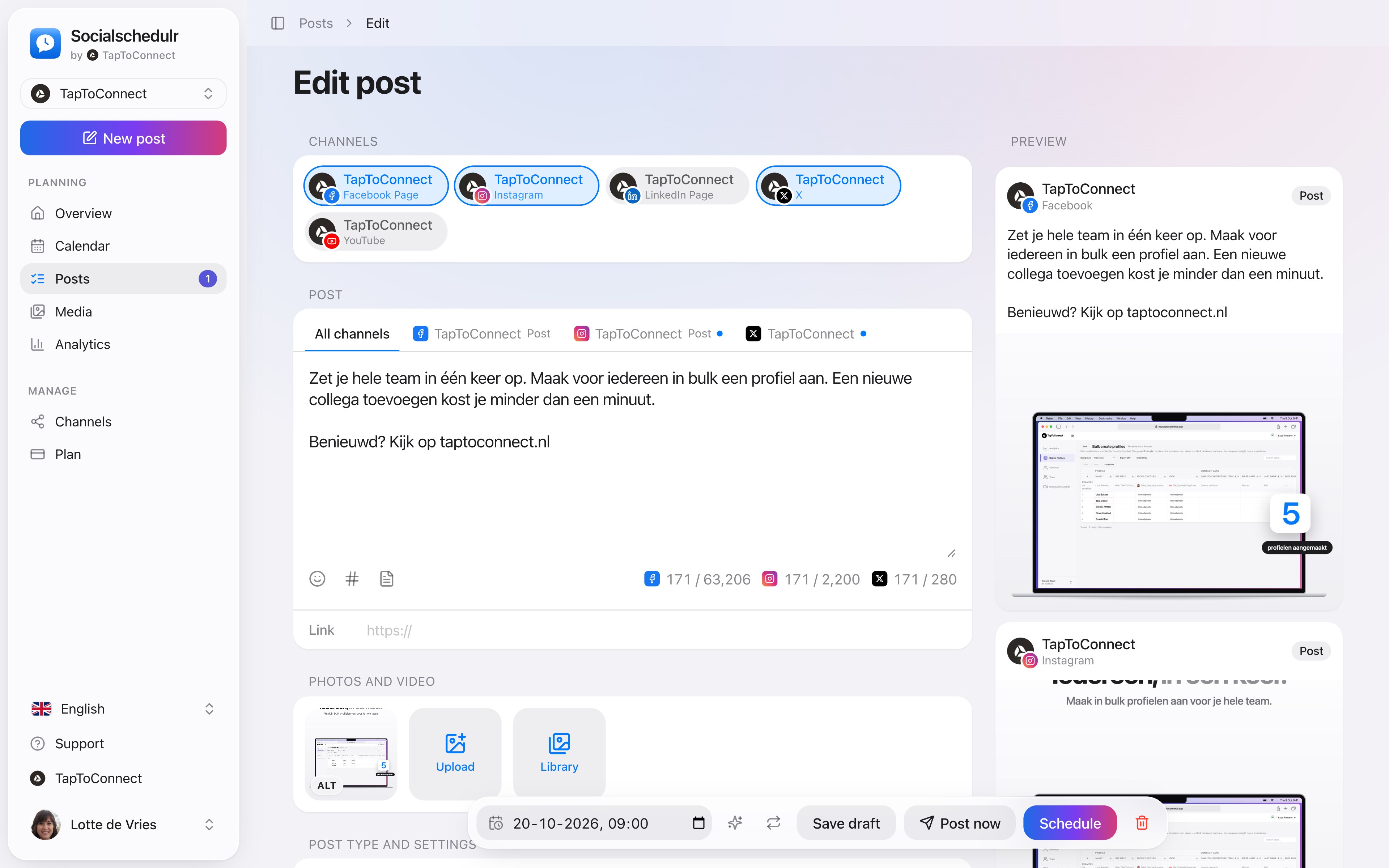
Write it once. Adjust where needed.
Pick your channels and write one text. Want to sound more businesslike on LinkedIn than on Instagram? Give that channel its own text. On the right you see how the post looks on each channel.
- A preview per channel of how your post will look
- Character counter per platform, from X to YouTube
- A clear message when something is still missing
- Three suggested times based on your own analytics
Your client approves with one click.
Send a link and your client sees the post exactly as it will appear online, per channel. Approving or asking for changes works straight away, without an account.
- No account or password needed for your client
- In two steps: first your colleague, then the client
- Comments land right next to the post
See what works, and do more of it.
Reach, interactions and followers of all your channels on one screen, compared with the previous period. You see at a glance which posts performed best.
- Periods from 7 days to 12 months
- Follower growth per channel
- Export to CSV
Your first post in five minutes.
Spoken and subtitled in English. You will find more videos in the help centre.
Frequently asked questions.
What is the cheapest alternative to Hootsuite?
For a small team with a few channels, Buffer, Metricool and Socialschedulr are much cheaper than Hootsuite. Socialschedulr costs €19 per month for 5 channels, or €55 for 15 channels with 5 users, with every feature. Hootsuite starts at $99 per user per month.
Which scheduler is best for agencies?
That depends on the number of clients. Look for client approval without an extra account, reports without the tool’s name, and a price per client you can pass on. Socialschedulr has the Agency plan for that: up to 10 companies for €199 per month.
Is there a European social media scheduler?
Yes. Socialschedulr is made in the Netherlands, charges in euros with a VAT invoice and runs on servers in the EU.
Try it yourself.
All your socials in one calendar. Free for 14 days, no payment details. After that, pick a plan or carry on for free.