
 TapToConnect
Socialschedulr or Meta Business Suite?
Free for Facebook and Instagram. Only for those.
With Meta Business Suite you schedule posts for Facebook and Instagram for free. For many business owners that is enough. When do you need more?
In short
- Meta Business Suite is free, but only for Facebook and Instagram.
- You cannot schedule LinkedIn, TikTok, X or YouTube with it.
- Letting a client approve without access to your page is not possible.
- Socialschedulr schedules all six platforms from one calendar, free for 3 channels.
Meta Business Suite and Socialschedulr side by side
| Socialschedulr | Meta Business Suite | |
|---|---|---|
| Price | Free, or from €19 per month (5 channels) | Free |
| Small team (about 10 channels, 3 users) | €55 per month (Pro: 15 channels, 5 users) | Free, through roles on your Facebook Page and Business Manager |
| Free plan | Yes: 3 channels, 1 user, 10 posts scheduled at a time | Yes, entirely |
| Platforms | Facebook, Instagram, LinkedIn (profile and company page), TikTok, X, YouTube | Only Facebook and Instagram |
| Approval and client preview | In every plan, in two steps, client without an account | No approval through a link |
| Reports | PDF with your own logo, emailed automatically, white label too | Facebook and Instagram analytics |
| Language and invoice | English and Dutch, invoice in euros with VAT | Many languages, free |
| Connect an AI assistant | Yes, Claude and other MCP assistants (ChatGPT in review) | Not as an integration with your own assistant |
Why not just Meta Business Suite?
Meta Business Suite is free and fine if you only use Facebook and Instagram. But as soon as you also want to post on LinkedIn, TikTok, X or YouTube, you work in several apps, each with its own calendar. Your planning gets scattered, and so do your numbers.
In Socialschedulr everything is in one calendar and one analytics screen. You write one post and choose the format per channel. You can also let a client or colleague approve before anything goes live, which Meta Business Suite cannot do.
Where Meta Business Suite is strong
- Free
- Straight from Meta, so new Facebook and Instagram features arrive quickly
- An inbox for messages and comments
- Ad management
Where Socialschedulr is different
- LinkedIn, TikTok, X and YouTube too, from the same calendar.
- One text for all channels, with changes per channel.
- Your client approves through a link, without access to your page.
- Reports on all your channels together, emailed automatically.
When to choose Meta Business Suite
If you only use Facebook and Instagram, work alone and do not need to make reports for others.
When to choose Socialschedulr
If you are also active on LinkedIn, TikTok, X or YouTube, work with others or want to send reports. Start for free with 3 channels.
Switching from Meta Business Suite in four steps
- Create an account. You get every feature for 14 days, without payment details. So you do not need to cancel Meta Business Suite yet.
- Connect your channels. You log in with Facebook, Instagram, LinkedIn, TikTok, X or YouTube. A channel can be connected to two schedulers at the same time.
- Move your scheduled posts. Got a lot of them? Put them in a spreadsheet and import up to 200 posts in one go.
- Cancel Meta Business Suite once everything runs. Run both side by side for a week or two, check that everything is published on time, then switch for good.
What does Socialschedulr cost?
From €0 with 3 channels; paid plans from €19 per month. Every feature is included in every plan. See all pricing or work it out on per channel or flat price.
How Socialschedulr works.
A few things you notice straight away when you switch from Meta Business Suite.
Write it once. Adjust where needed.
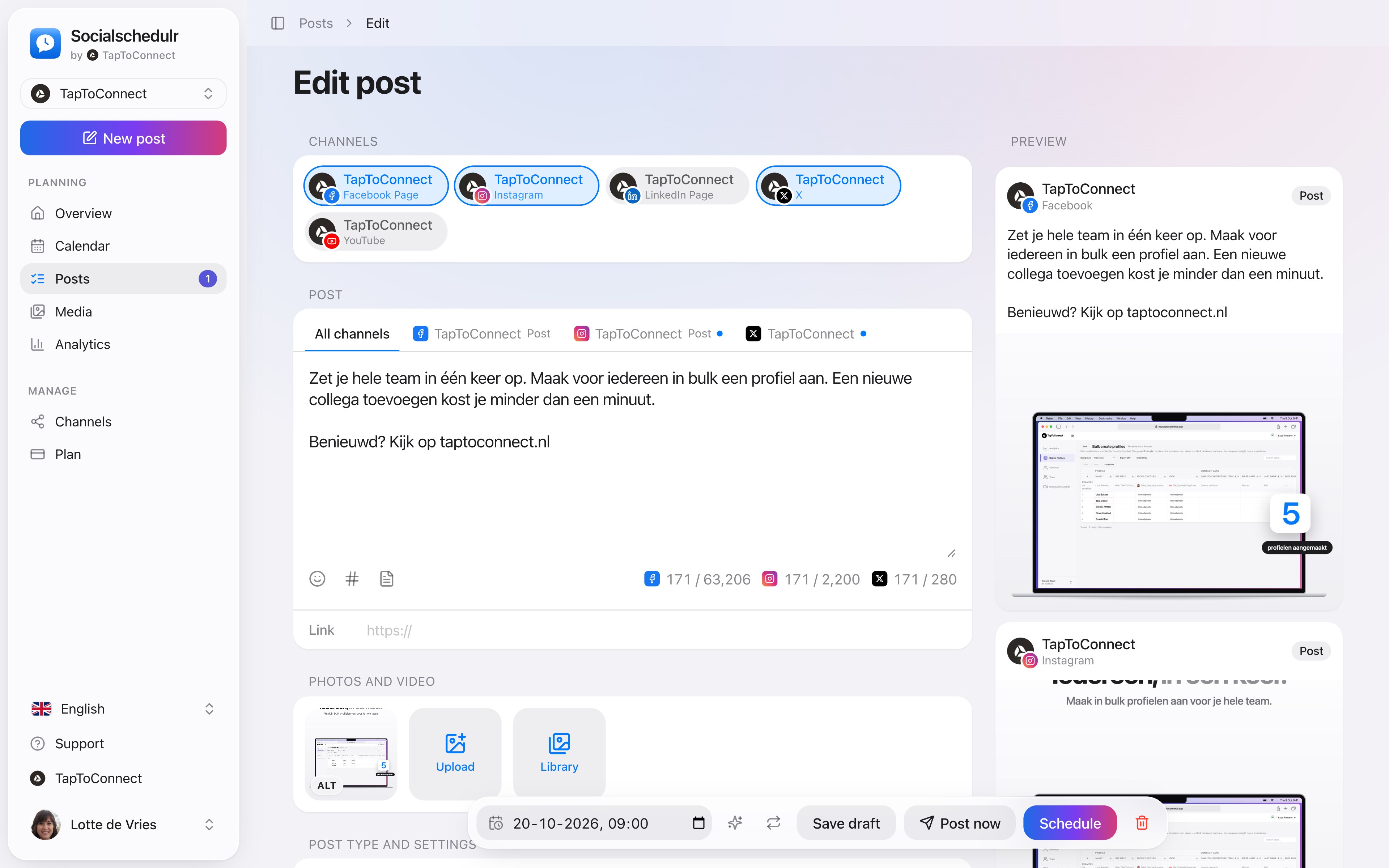
Pick your channels and write one text. Want to sound more businesslike on LinkedIn than on Instagram? Give that channel its own text. On the right you see how the post looks on each channel.
- A preview per channel of how your post will look
- Character counter per platform, from X to YouTube
- A clear message when something is still missing
- Three suggested times based on your own analytics
Six platforms, one place.
Connect Facebook Pages, Instagram, LinkedIn (profile and company page), TikTok, X and YouTube. You log in with the platform itself; Socialschedulr only gets permission to post on your behalf.
- Connect in a few clicks
- A notice when a channel needs to be reconnected
- We never see your password
Your first post in five minutes.
Spoken and subtitled in English. You will find more videos in the help centre.
See it in action.
A few parts of Socialschedulr that fit this topic, shown with sample data.
See what works
Reach, interactions and followers of all your channels, with your best posts.
Schedule from your AI assistant
Ask in plain language. After you confirm, it is in your calendar.
Frequently asked questions.
Is Meta Business Suite really free?
Yes, for Facebook and Instagram. Ads are paid separately.
Can I use Meta Business Suite and Socialschedulr side by side?
Yes. Many users schedule in Socialschedulr and answer messages in Meta Business Suite.
Can I use Meta Business Suite and Socialschedulr side by side for a while?
Yes. A channel can be connected to several schedulers. Just make sure you do not schedule the same post in both, or it will be published twice.
Read next
Try it yourself.
All your socials in one calendar. Free for 14 days, no payment details. After that, pick a plan or carry on for free.