
 TapToConnect
Post to social media from ChatGPT.
From idea to calendar.
Many business owners already write their posts with ChatGPT. With the Socialschedulr connection, ChatGPT puts them in your calendar after you confirm.
In short
- Socialschedulr works with ChatGPT through MCP, the open standard for AI connections
- The Socialschedulr app in the ChatGPT app directory is coming
- The same abilities as in Claude
- You choose read only or also schedule
How do you connect ChatGPT?
Socialschedulr works with ChatGPT through MCP. The app in the ChatGPT app directory is coming; then you connect like this:
- Open ChatGPT and find Socialschedulr under apps.
- Click connect. You land on a Socialschedulr sign-in screen.
- Sign in, pick the company and choose read only or read and schedule.
- Done. Ask ChatGPT what is scheduled this week.
Step by step: connect with ChatGPT.
You stay in control
ChatGPT asks for confirmation before it schedules or deletes anything, and everything lands in the same calendar as your other posts. Read more in what is MCP.
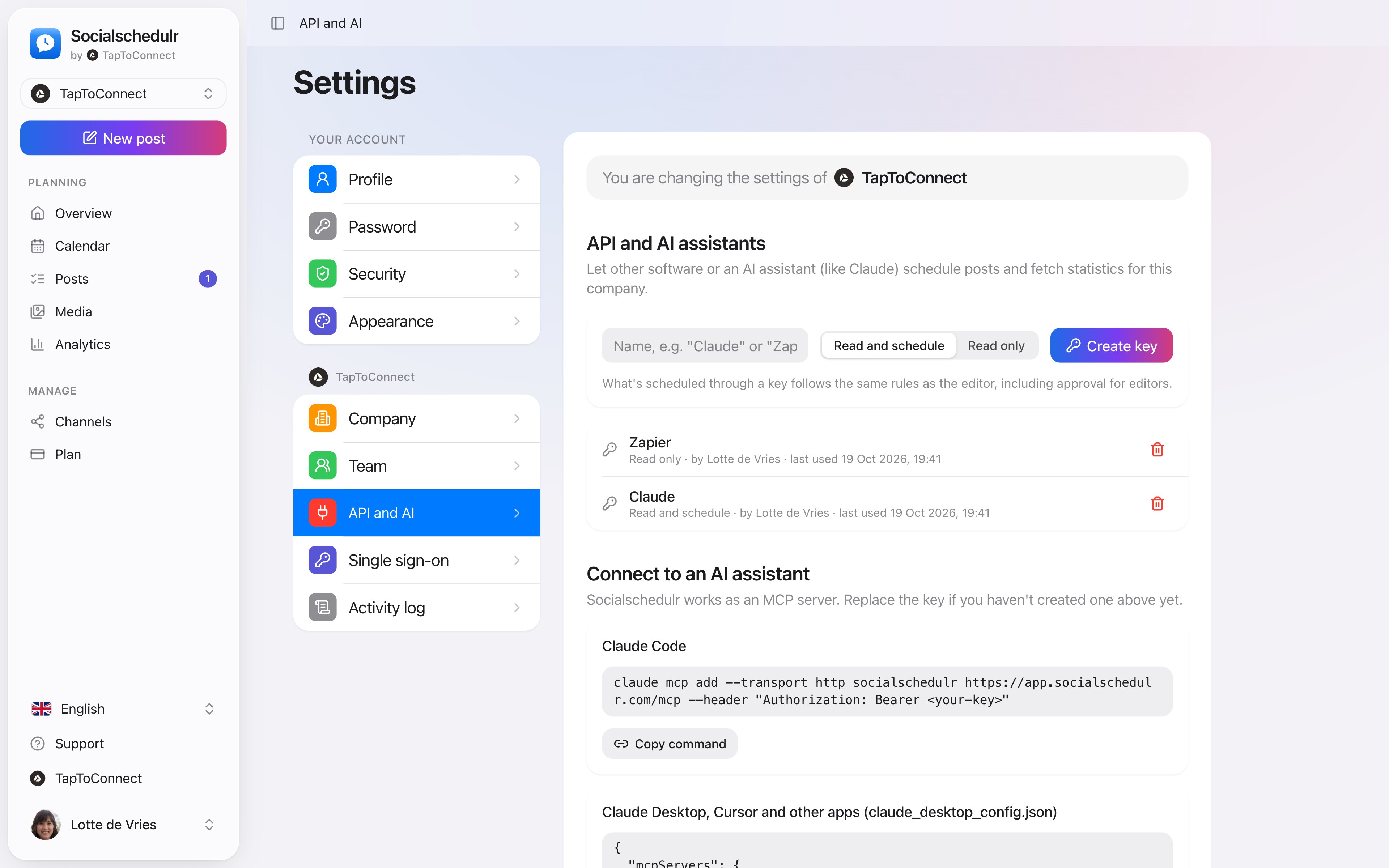
The settings for the API and AI assistants
How to do this in Socialschedulr.
Schedule from Claude or ChatGPT.
Connect Socialschedulr to your AI assistant. Ask for a post, and after you confirm, the assistant puts it in your calendar. You can ask for your analytics the same way.
- Works with Claude, ChatGPT and other MCP assistants
- Choose whether the assistant may only read or also schedule
- Approval for editors still applies
Scheduling from your AI assistant.
Spoken and subtitled in English. You will find more videos in the help centre.
See it in action.
A few parts of Socialschedulr that fit this topic, shown with sample data.
A whole month in one go
Import your posts from Excel or Google Sheets, up to 200 at once.
Your best moment
From your own numbers: three suggested moments, picked in one click.
Frequently asked questions.
Do I need a paid ChatGPT plan?
OpenAI decides which ChatGPT plans support apps; check in ChatGPT itself. In Socialschedulr the connection is included in every plan.
Try it yourself.
All your socials in one calendar. Free for 14 days, no payment details. After that, pick a plan or carry on for free.