
 TapToConnect
Schedule LinkedIn.
Profile and company page.
LinkedIn works best with regularity. Plan your posts ahead for your profile and your company page, and put your link or hashtags in the first comment.
What you can schedule
- Posts with text, link and photos
- On your personal profile or a company page
- A first comment, for example with your link or hashtags
- A separate, more businesslike text than on your other channels
How to schedule it
- Connect your LinkedIn profile and choose the company pages you manage.
- Create a post and choose LinkedIn.
- Put your link or hashtags in the first comment if you like.
- Schedule it for a moment when your network is active.
Settings per post
With the first comment you put hashtags or a link right below your post. Many users find that a post without a link in the text itself performs better. See Connecting LinkedIn.
Tips
- Post on working days, for example Tuesday to Thursday in the morning.
- Start with a strong first sentence: it is all people see before "see more".
- Ask colleagues to share or comment on a company page post.
- Check Analytics to see which company page posts got the most reach.
What you need
A LinkedIn account, and for a company page the admin role on that page. Note: a personal LinkedIn profile does not share reach numbers with schedulers; you only see those for company pages.
Profile and company page
On LinkedIn, a post from a person often does better than a post from a company page. In Socialschedulr you connect both: your own profile and the company pages you administer. Schedule the same news on the page and, with a more personal text, on your own profile.
Is your whole team taking part? Let colleagues connect their own profile. You prepare a post, they adjust the text in their own words and it goes live at the same moment.
Handy tools
In the editor you also have hashtag sets and saved text, cropping and alt text and UTM codes at hand.
How it works.
- 1
Connect LinkedIn
Go to Channels, choose LinkedIn and log in. Socialschedulr only gets permission to post on your behalf.
- 2
Write and pick the format
Write your text, add photos or video and choose per channel what it becomes. The preview appears on the right.
- 3
Pick a moment
Choose a date and time, or one of the three best moments from your own analytics. Done.
Scheduling LinkedIn in Socialschedulr.
Write it once. Adjust where needed.
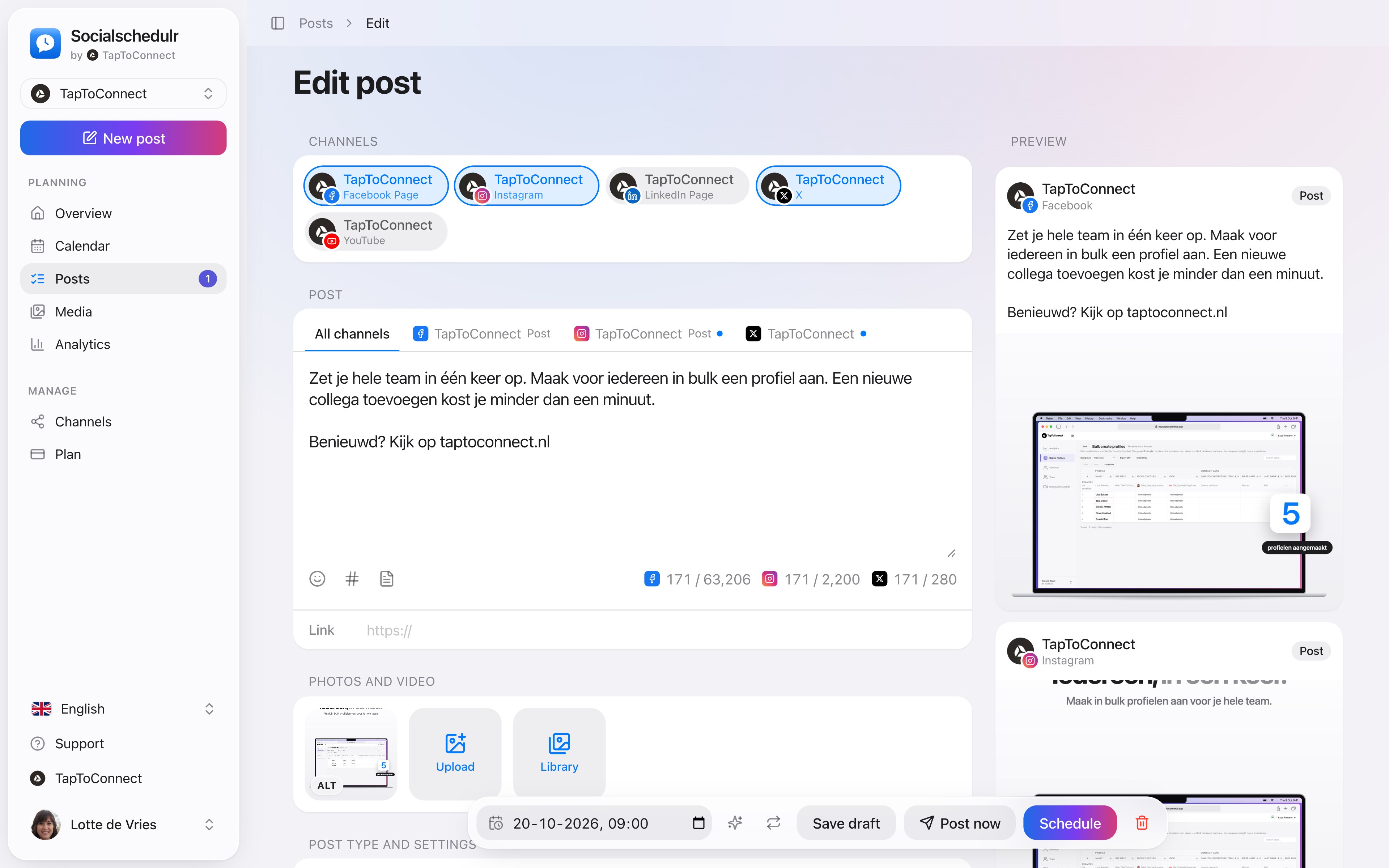
Pick your channels and write one text. Want to sound more businesslike on LinkedIn than on Instagram? Give that channel its own text. On the right you see how the post looks on each channel.
- A preview per channel of how your post will look
- Character counter per platform, from X to YouTube
- A clear message when something is still missing
- Three suggested times based on your own analytics
Everyone their own role.
Invite colleagues or freelancers as owner, admin or editor. Editors write and schedule, admins approve and manage channels and the subscription.
- Invite with a link that is valid for 7 days
- Two-step verification, which you can require for the whole team
- Activity log: see who did what and when
Connecting channels.
Spoken and subtitled in English. You will find more videos in the help centre.
See it in action.
A few parts of Socialschedulr that fit this topic, shown with sample data.
A report with your logo
In your client's inbox every month, automatically, white label too.
Reels, TikToks and Shorts
One video, the right format and settings per platform.
Frequently asked questions.
Can I post to several company pages?
Yes. Each company page is a separate channel.
Read next
Try it yourself.
All your socials in one calendar. Free for 14 days, no payment details. After that, pick a plan or carry on for free.