
 TapToConnect
One post.
Every channel.
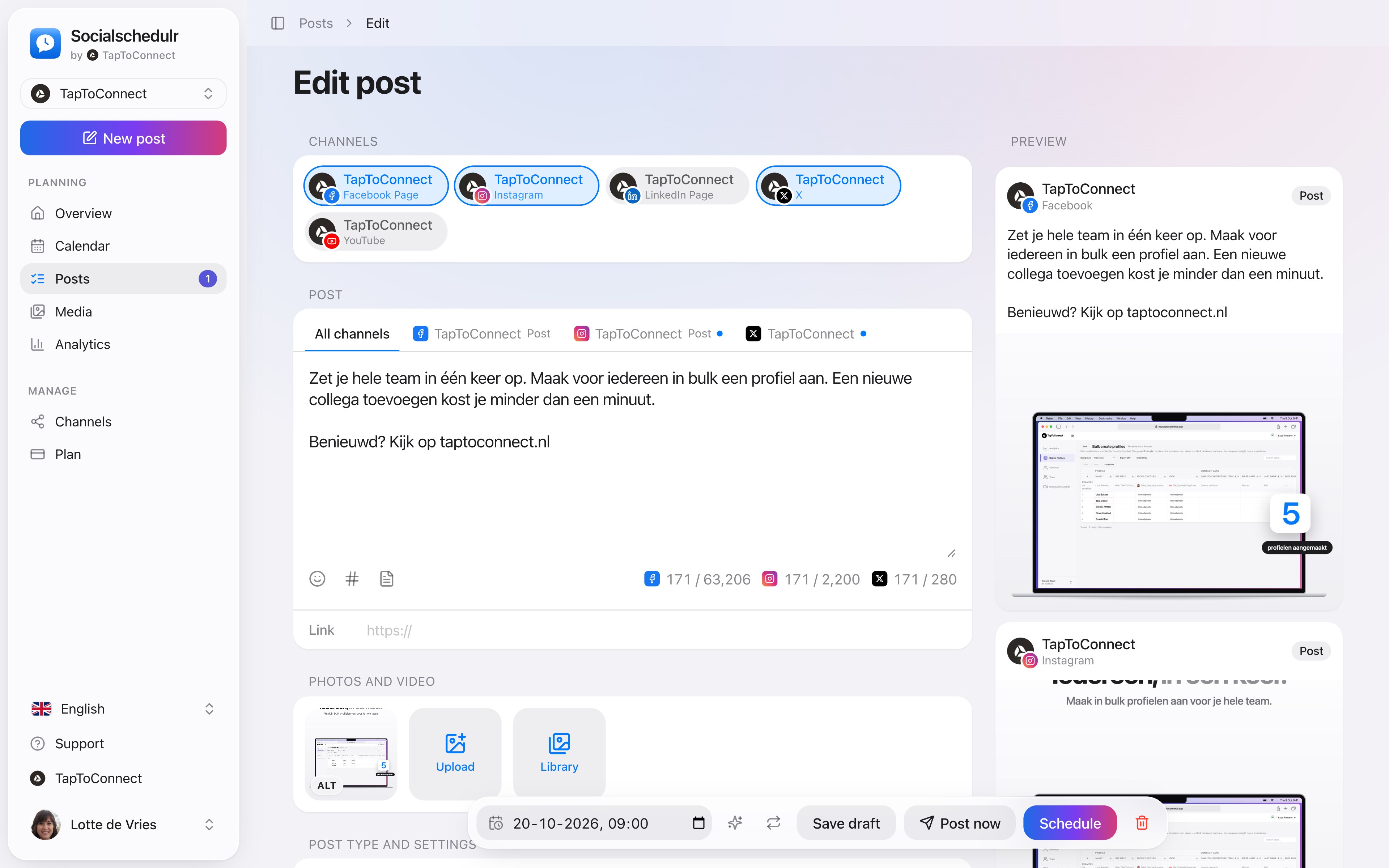
Pick your channels, write one text and adjust it per channel where needed. On the right you see how the post will look on each channel.
In short
- One post to all your channels at once
- A separate text per channel, marked with a blue dot
- Character counter per platform, from 280 characters on X to 63,206 on Facebook
- A preview per channel next to your text
- A red notice when something is still missing
How it works.
- 1
Pick your channels
Click New post and tick the channels the post should go to.
- 2
Write the general text
Under All channels you write the text that applies everywhere.
- 3
Adjust per channel
Click a channel’s tab to write its own text there. You can always go back to the general text.
Text limits per platform
| Platform | Maximum |
|---|---|
| 2,200 characters | |
| 3,000 characters | |
| 63,206 characters | |
| X | 280 characters |
| TikTok | 2,200 characters |
| YouTube | 5,000 characters, plus a title of up to 100 |
Nothing lost when you close
Accidentally closed the window while writing a new post? The next time you start a new post, Socialschedulr asks whether you want to restore the unsaved one.
Step by step
You will find a detailed explanation with every button in the help centre: read the article.
Write it once. Adjust where needed.
Pick your channels and write one text. Want to sound more businesslike on LinkedIn than on Instagram? Give that channel its own text. On the right you see how the post looks on each channel.
- A preview per channel of how your post will look
- Character counter per platform, from X to YouTube
- A clear message when something is still missing
- Three suggested times based on your own analytics
Your first post in five minutes.
Spoken and subtitled in English. You will find more videos in the help centre.
See it in action.
A few parts of Socialschedulr that fit this topic, shown with sample data.
A report with your logo
In your client's inbox every month, automatically, white label too.
Reels, TikToks and Shorts
One video, the right format and settings per platform.
Frequently asked questions.
Can I use a different photo on each channel?
Photos and videos apply to the whole post. If you want different images per channel, create a separate post for that channel.
Try it yourself.
All your socials in one calendar. Free for 14 days, no payment details. After that, pick a plan or carry on for free.