
 TapToConnect
What do you want to get done?
Here is how.
Per platform and per task: what Socialschedulr does for you, what you need for it and what to keep in mind.
How it works.
- 1
Connect your channels
Log in with Facebook, Instagram, LinkedIn, TikTok, X or YouTube. It takes a few minutes.
- 2
Plan your posts
Write once, adjust per channel and pick a moment. Or import a whole month from a spreadsheet.
- 3
Socialschedulr publishes them
Right on time, even when you are away. Afterwards, the analytics show what worked.
Everything in one app.
From the first idea to the monthly report. These are the parts you use most.
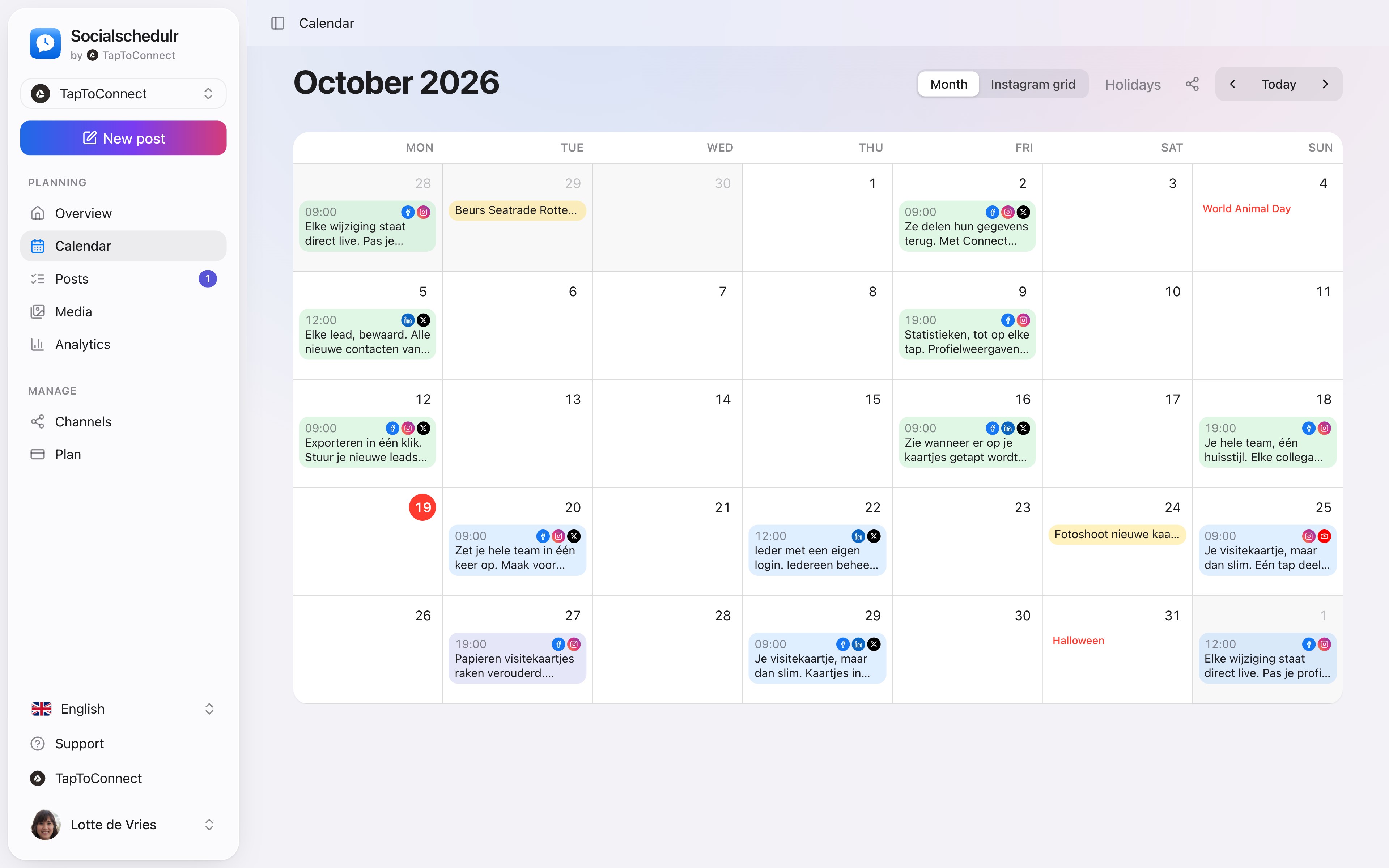
Your whole month at a glance.
All scheduled and published posts from all your channels in one monthly view. The colour tells you straight away whether something is scheduled, published or still a draft.
- Click a day to schedule a post right there
- Notes on a day, such as ‘campaign starts’ or ‘shop closed’
- Holidays and special days for the Netherlands and Belgium
- Schedule a post on any day from the calendar
Write it once. Adjust where needed.
Pick your channels and write one text. Want to sound more businesslike on LinkedIn than on Instagram? Give that channel its own text. On the right you see how the post looks on each channel.
- A preview per channel of how your post will look
- Character counter per platform, from X to YouTube
- A clear message when something is still missing
- Three suggested times based on your own analytics
Your client approves with one click.
Send a link and your client sees the post exactly as it will appear online, per channel. Approving or asking for changes works straight away, without an account.
- No account or password needed for your client
- In two steps: first your colleague, then the client
- Comments land right next to the post
See what works, and do more of it.
Reach, interactions and followers of all your channels on one screen, compared with the previous period. You see at a glance which posts performed best.
- Periods from 7 days to 12 months
- Follower growth per channel
- Export to CSV
Your first post in five minutes.
Spoken and subtitled in English. You will find more videos in the help centre.
Try it yourself.
All your socials in one calendar. Free for 14 days, no payment details. After that, pick a plan or carry on for free.