
 TapToConnect
Plan together.
Everyone the right permissions.
An intern creates posts, you approve and keep the channels and subscription in your own hands.
Roles
- Owner: everything, including the subscription
- Admin: posts, channels, team and approval
- Editor: creating and scheduling posts
Secure
Make two-step verification mandatory for your whole team, or log in with SSO. The activity log shows who did what for a whole year. See two-step verification.
Discuss it with the post
You can leave comments on every post. Internal comments are only visible to your team, so you can talk freely without your client reading along. All discussion stays with the post itself instead of being spread over email and chat.
How it works.
- 1
Connect your channels
Log in with Facebook, Instagram, LinkedIn, TikTok, X or YouTube. It takes a few minutes.
- 2
Plan your posts
Write once, adjust per channel and pick a moment. Or import a whole month from a spreadsheet.
- 3
Socialschedulr publishes them
Right on time, even when you are away. Afterwards, the analytics show what worked.
Everyone their own role.
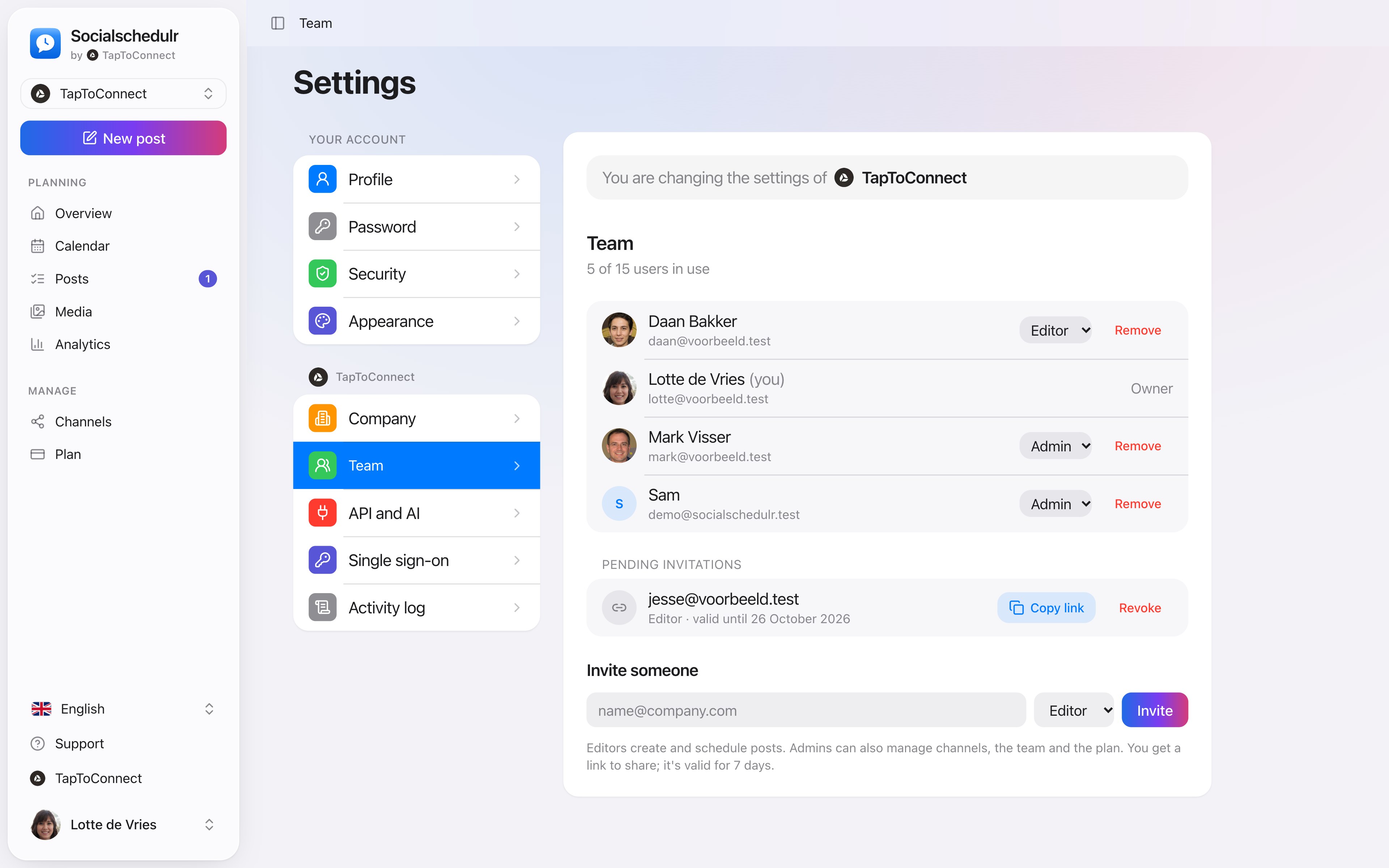
Invite colleagues or freelancers as owner, admin or editor. Editors write and schedule, admins approve and manage channels and the subscription.
- Invite with a link that is valid for 7 days
- Two-step verification, which you can require for the whole team
- Activity log: see who did what and when
Your client approves with one click.
Send a link and your client sees the post exactly as it will appear online, per channel. Approving or asking for changes works straight away, without an account.
- No account or password needed for your client
- In two steps: first your colleague, then the client
- Comments land right next to the post
Start your day with what matters.
The dashboard shows what goes live in the coming days, what is waiting for approval and whether anything failed. Without searching.
- Upcoming posts with channels and time
- A notice when a post is waiting for your approval
- Counters for scheduled, published, drafts and failed
Team and approval.
Spoken and subtitled in English. You will find more videos in the help centre.
Frequently asked questions.
How many users can I add?
1 in Free and Starter, 5 in Pro, 15 in Business and 5 per company in Agency.
Read next
Try it yourself.
All your socials in one calendar. Free for 14 days, no payment details. After that, pick a plan or carry on for free.