
 TapToConnect
Bulk scheduling.
Two hundred posts in one go.
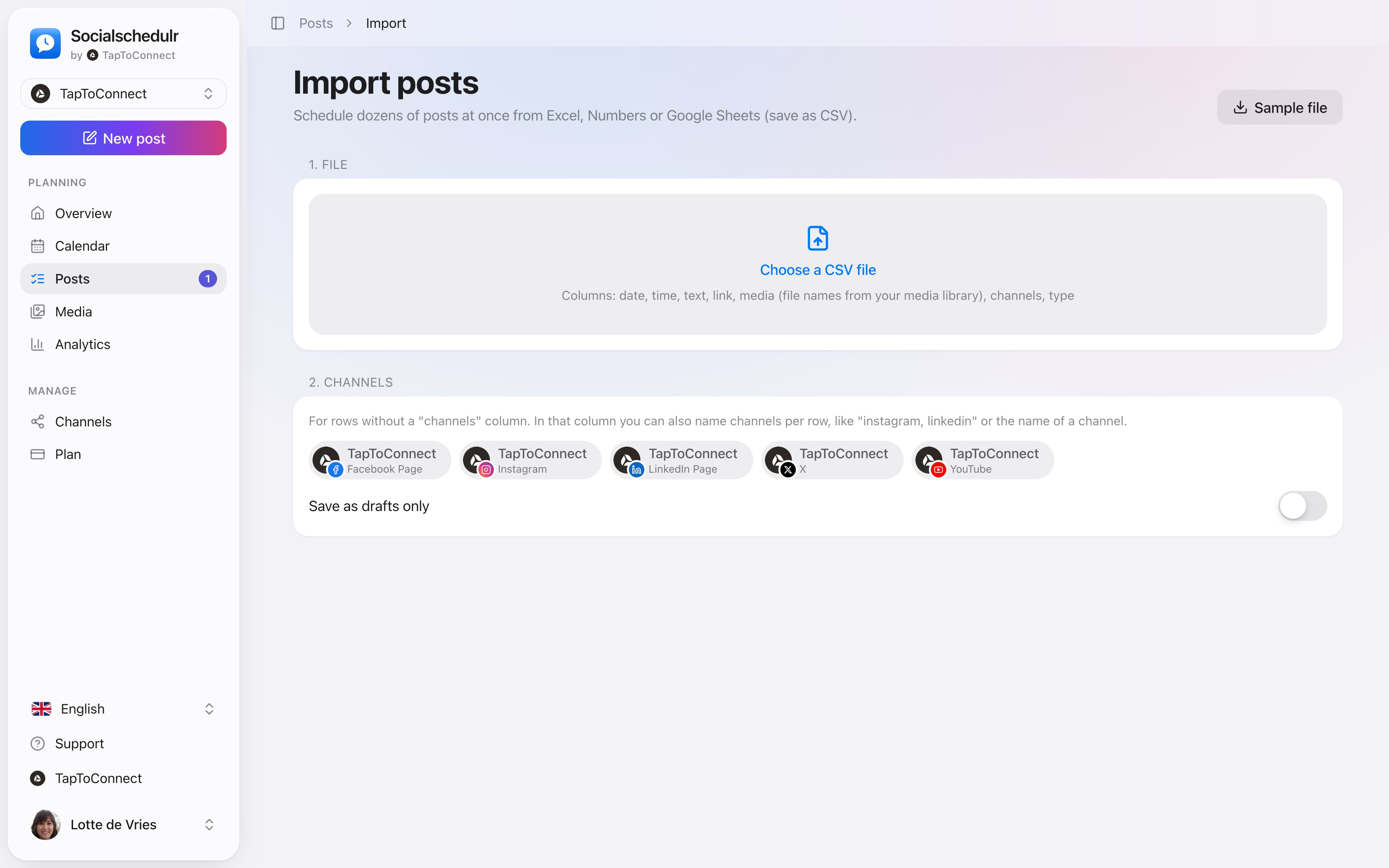
Put your posts in a spreadsheet, save it as CSV and import it. Ideal for preparing a whole month or your product catalogue in one go.
In short
- Up to 200 posts per import
- A sample file to get you started
- Photos and videos from your media library by name
- Saving everything as a draft first is also possible
- If a row is wrong, you see per row what the problem is
How it works.
- 1
Download the sample
Go to Posts, click Import CSV and then Sample.
- 2
Fill in your posts
In Excel, Numbers or Google Sheets. Save as CSV.
- 3
Import and check
Choose the file, review the table and schedule everything at once.
The columns
| Column | What to enter |
|---|---|
| datum (date) | For example 25-12-2026 (required) |
| tijd (time) | For example 09:30; empty means 09:00 |
| tekst (text) | The text of the post |
| link | Optional, a web address |
| media | Optional, file names from your media library |
| kanalen (channels) | Optional, for example instagram, linkedin |
| soort (type) | Optional: post, reel, story, video or short |
Use the column names from the sample file. If one row is wrong, for example a date in the past, nothing is imported. So you never end up with half an import.
Step by step
You will find a detailed explanation with every button in the help centre: read the article.
Two hundred posts in one go.
Put your posts in Excel, Numbers or Google Sheets, save as CSV and import them. Date, time, text, link, photo and channels all land in the right place.
- Up to 200 posts per import
- A sample file to get you started
- Choose whether they are scheduled straight away or saved as drafts first
Posts and calendar.
Spoken and subtitled in English. You will find more videos in the help centre.
See it in action.
A few parts of Socialschedulr that fit this topic, shown with sample data.
Your feed, before it goes live
Scheduled posts appear above your latest real posts.
Your best moment
From your own numbers: three suggested moments, picked in one click.
Read next
Try it yourself.
All your socials in one calendar. Free for 14 days, no payment details. After that, pick a plan or carry on for free.