
 TapToConnect
The Instagram grid.
Your feed, before it goes live.
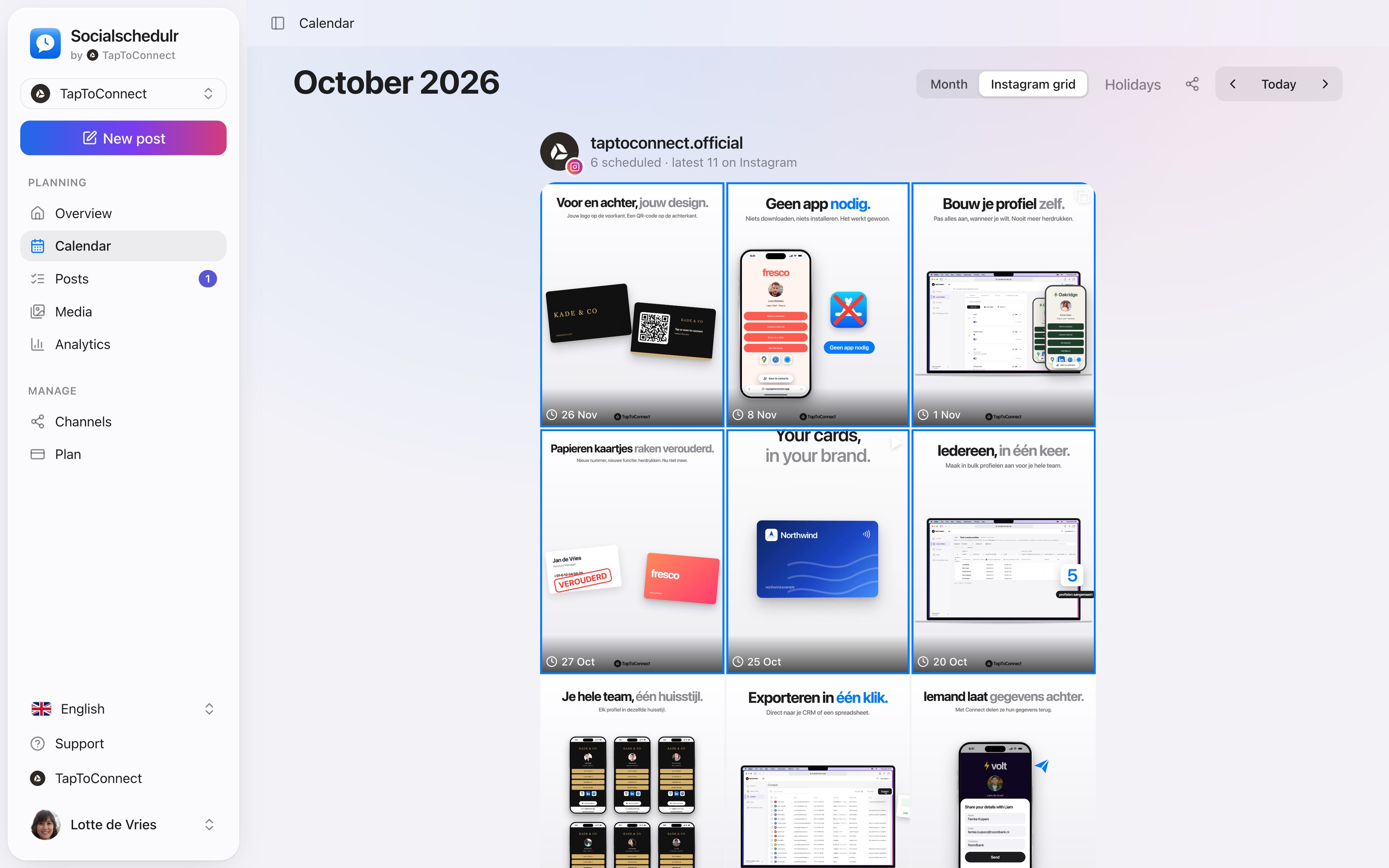
See how your Instagram profile will look. Your scheduled posts appear above your latest real posts, in exactly the order they will be published.
In short
- Scheduled posts outlined in blue above your existing feed
- Click a scheduled post to edit it
- Handy for alternating colours and topics
- Stories are not in the grid, because they do not appear in your feed
How it works.
- 1
Connect Instagram
The grid works as soon as you have connected a business Instagram account.
- 2
Choose Instagram grid
At the top of the calendar, switch from Month to Instagram grid.
- 3
Move and adjust
A post does not fit with the rest? Open it and pick another day.
Why preview?
On Instagram, people often look at your profile before they follow you. A feed that looks calm and recognisable makes a better first impression. The grid shows you in advance whether three photos in the same colour end up side by side, or whether two product photos follow each other.
Step by step
You will find a detailed explanation with every button in the help centre: read the article.
See your feed before it goes live.
The Instagram grid view shows your scheduled posts above your latest real posts. So you know in advance whether colours and topics work well together.
- Scheduled posts with their date above your existing feed
- Click a post to edit it
- Also handy to show a client the feed in advance
Posts and calendar.
Spoken and subtitled in English. You will find more videos in the help centre.
See it in action.
A few parts of Socialschedulr that fit this topic, shown with sample data.
Reels, TikToks and Shorts
One video, the right format and settings per platform.
Everyone their own role
Owner, admin or editor, with an activity log of who did what.
Frequently asked questions.
Can I show my client the grid?
Through the shared schedule your client sees the upcoming posts per channel. You view the grid itself in the app.
Read next
Try it yourself.
All your socials in one calendar. Free for 14 days, no payment details. After that, pick a plan or carry on for free.