
 TapToConnect
Post to social media from Claude.
No more copy and paste.
Already writing your posts with Claude? With the Socialschedulr connector, Claude puts them straight into your calendar after you confirm.
In short
- Socialschedulr is listed in the Claude connector directory
- Connecting takes a few minutes, no code
- You choose: read only, or also schedule
- Claude asks for confirmation before it schedules or deletes anything
- Included in every Socialschedulr plan, including Free
How do you connect Claude?
- Open Claude and go to connectors in your settings. Find Socialschedulr in the connector directory.
- Click connect. You land on a Socialschedulr sign-in screen.
- Sign in, pick the company and choose read only or read and schedule.
- Done. Ask Claude which channels are connected.
Step by step with screenshots: connect with Claude.
What can Claude do in Socialschedulr?
- View your channels and media library
- Schedule posts on one or more channels, save them as drafts or publish right away
- Show what is scheduled and published
- Fetch analytics: reach, interactions, best posts and best times
- Move a post to the trash, restorable for 30 days
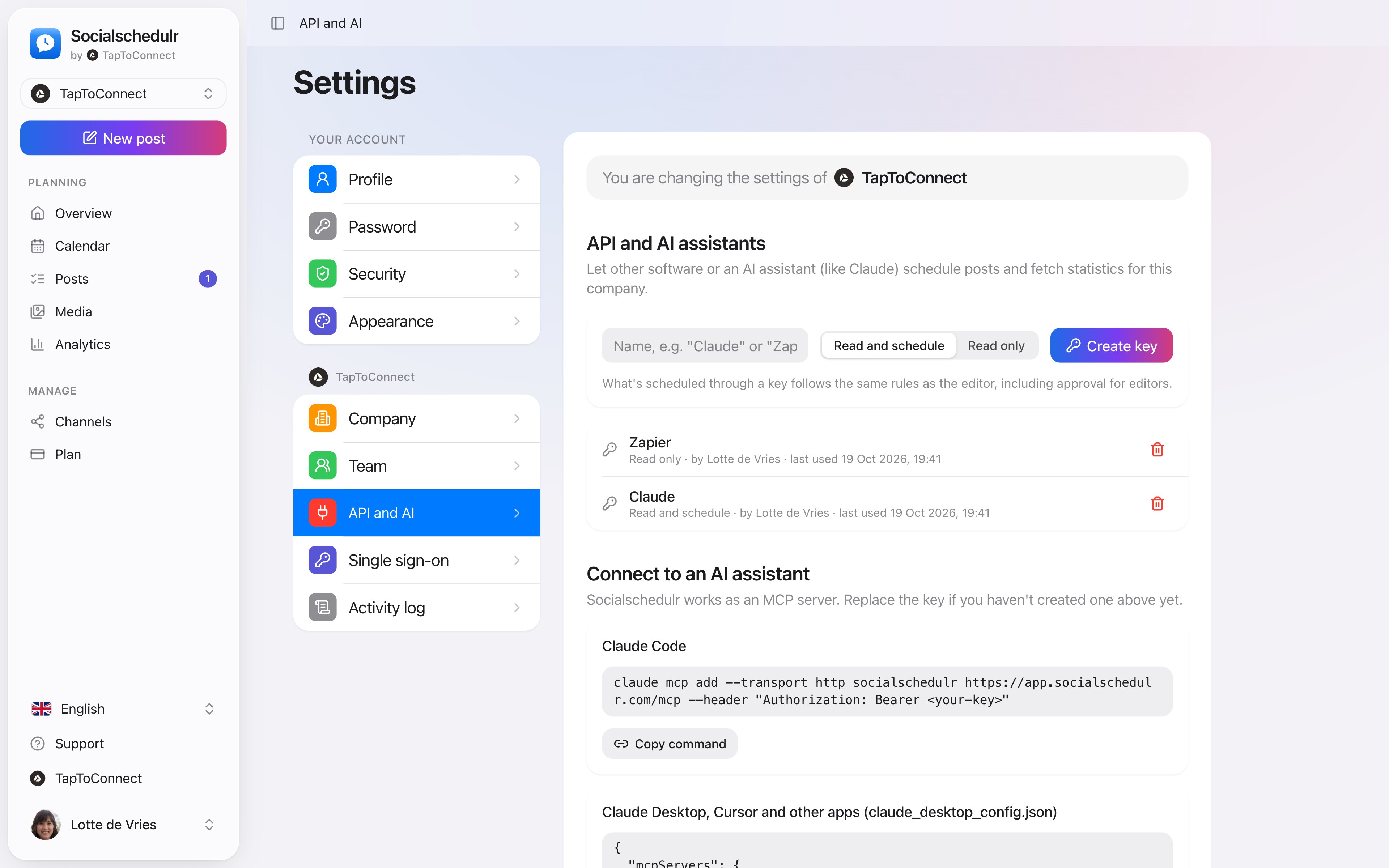
The settings for the API and AI assistants
What can you ask?
Write a LinkedIn post about our new service and schedule it Thursday at 9:00.
What is scheduled for next week?
Which three posts did best last month?
You stay in control
Claude asks for confirmation before it schedules or deletes anything. If your company uses approval, posts from Claude go through your team or client first. Revoke access any time in Socialschedulr under Settings, API and AI.
How to do this in Socialschedulr.
Schedule from Claude or ChatGPT.
Connect Socialschedulr to your AI assistant. Ask for a post, and after you confirm, the assistant puts it in your calendar. You can ask for your analytics the same way.
- Works with Claude, ChatGPT and other MCP assistants
- Choose whether the assistant may only read or also schedule
- Approval for editors still applies
Scheduling from your AI assistant.
Spoken and subtitled in English. You will find more videos in the help centre.
See it in action.
A few parts of Socialschedulr that fit this topic, shown with sample data.
One post, six channels
Write it once and see how it looks on each channel.
Your client approves on their phone
Through a link, without an account. Then the post is scheduled automatically.
Frequently asked questions.
Does the connection cost extra?
Not in Socialschedulr: it is included in every plan, including Free. What Claude costs depends on your Anthropic plan.
Try it yourself.
All your socials in one calendar. Free for 14 days, no payment details. After that, pick a plan or carry on for free.