
 TapToConnect
Your client approves.
No account needed.
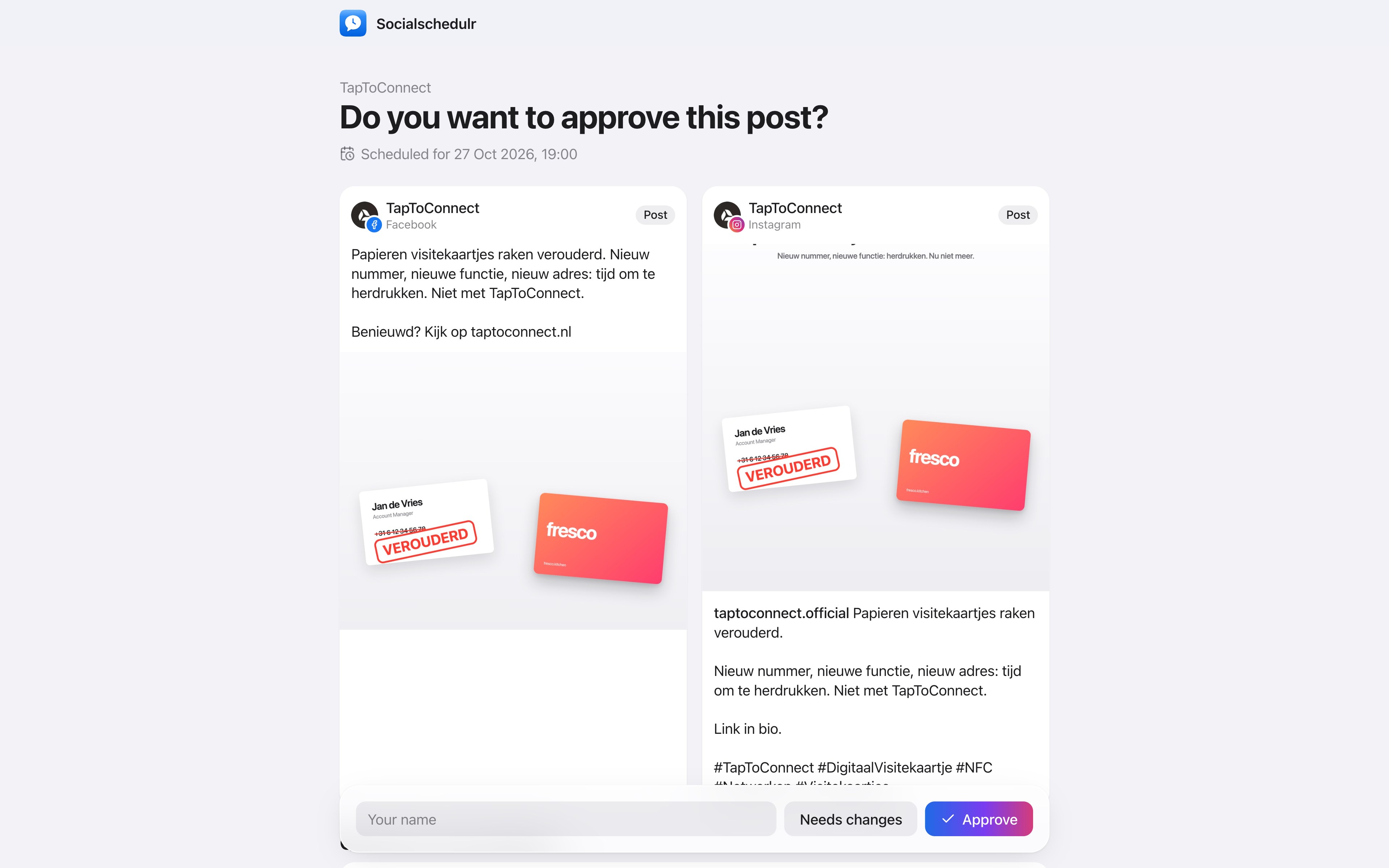
Send your client a link. They see the post as it will appear online, per channel, and choose Approve or Changes needed. No login required.
In short
- No account or password needed
- A preview per channel, as it will appear online
- Your client enters their name when approving
- Changes needed? The comment is attached to the post
- Also through the shared schedule, with a Review button
How it works.
- 1
Copy the client link
On a post that is awaiting approval.
- 2
Send it to your client
By email, WhatsApp or however you like.
- 3
Done
Once approved, the post is scheduled.
Why not by email?
With screenshots by email, after two rounds nobody knows which version is the latest. With a link your client always sees the current version, and the approval is recorded with the post, with name and time.
Step by step
You will find a detailed explanation with every button in the help centre: read the article.
Your client approves with one click.
Send a link and your client sees the post exactly as it will appear online, per channel. Approving or asking for changes works straight away, without an account.
- No account or password needed for your client
- In two steps: first your colleague, then the client
- Comments land right next to the post
Team and approval.
Spoken and subtitled in English. You will find more videos in the help centre.
See it in action.
A few parts of Socialschedulr that fit this topic, shown with sample data.
Reels, TikToks and Shorts
One video, the right format and settings per platform.
Everyone their own role
Owner, admin or editor, with an activity log of who did what.
Try it yourself.
All your socials in one calendar. Free for 14 days, no payment details. After that, pick a plan or carry on for free.