
 TapToConnect
Reports in one click.
Or by email, automatically.
Show what your social media delivers, without pasting screenshots into a presentation.
What is in the report
- The key numbers against the previous period: reach, interactions, engagement and followers
- A chart and numbers per channel
- The best moments to post
- The ten best performing posts
- Your own logo at the top, and your competitors on Instagram if you track them
Automatically by email
Choose every Monday or every first of the month, and who receives it: you, your manager or your client. With white label, the Socialschedulr name does not appear. See automatic reports.
Prefer to do your own calculations?
Export all your published posts with their numbers as CSV for Excel or Google Sheets. See exporting.
Tracking competitors
Below your analytics you can track up to ten Instagram accounts of competitors or peers in your industry. You see their followers, growth, number of posts and average likes and comments next to yours. So you know whether a quiet month is down to you or to the whole industry.
How it works.
- 1
Connect your channels
Log in with Facebook, Instagram, LinkedIn, TikTok, X or YouTube. It takes a few minutes.
- 2
Plan your posts
Write once, adjust per channel and pick a moment. Or import a whole month from a spreadsheet.
- 3
Socialschedulr publishes them
Right on time, even when you are away. Afterwards, the analytics show what worked.
See what works, and do more of it.
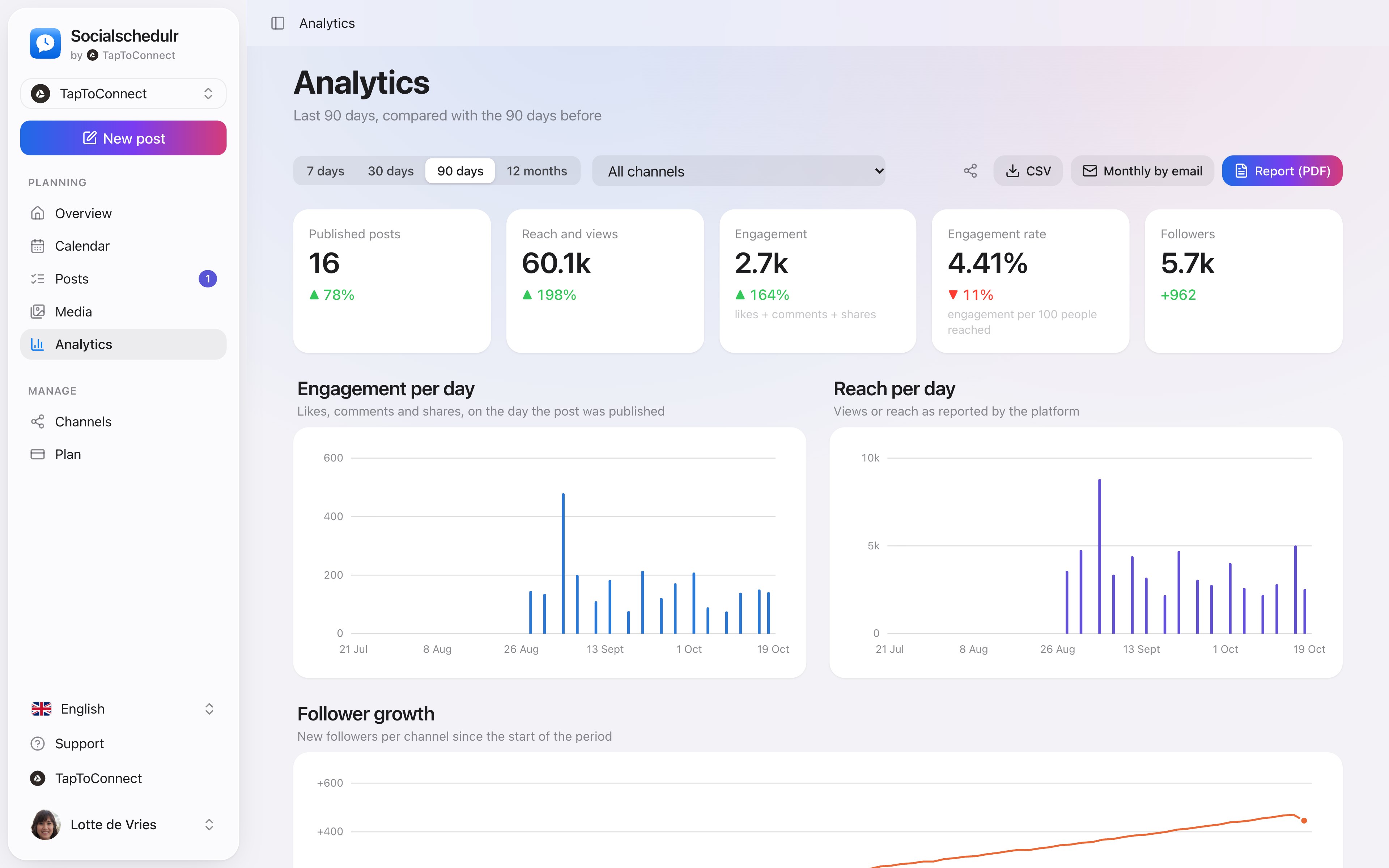
Reach, interactions and followers of all your channels on one screen, compared with the previous period. You see at a glance which posts performed best.
- Periods from 7 days to 12 months
- Follower growth per channel
- Export to CSV
A report with your logo.
Download a PDF report of any period, or have it emailed automatically every week or month. With your own logo, or with no mention of Socialschedulr at all.
- Numbers per channel and the best performing posts
- Emailed automatically to you or your client
- White label for agencies
Your best moment, from your own numbers.
The overview by day and hour shows when your posts got the most engagement. When you schedule, Socialschedulr suggests the three best moments.
- Based on your own posts, not on an average
- Per platform and per channel
- Pick it straight from the editor
Analytics.
Spoken and subtitled in English. You will find more videos in the help centre.
Frequently asked questions.
Which numbers does each platform share?
Most platforms share reach, interactions and followers. A personal LinkedIn profile does not share reach; a company page does.
Read next
Try it yourself.
All your socials in one calendar. Free for 14 days, no payment details. After that, pick a plan or carry on for free.