
 TapToConnect
Analytics.
See what works.
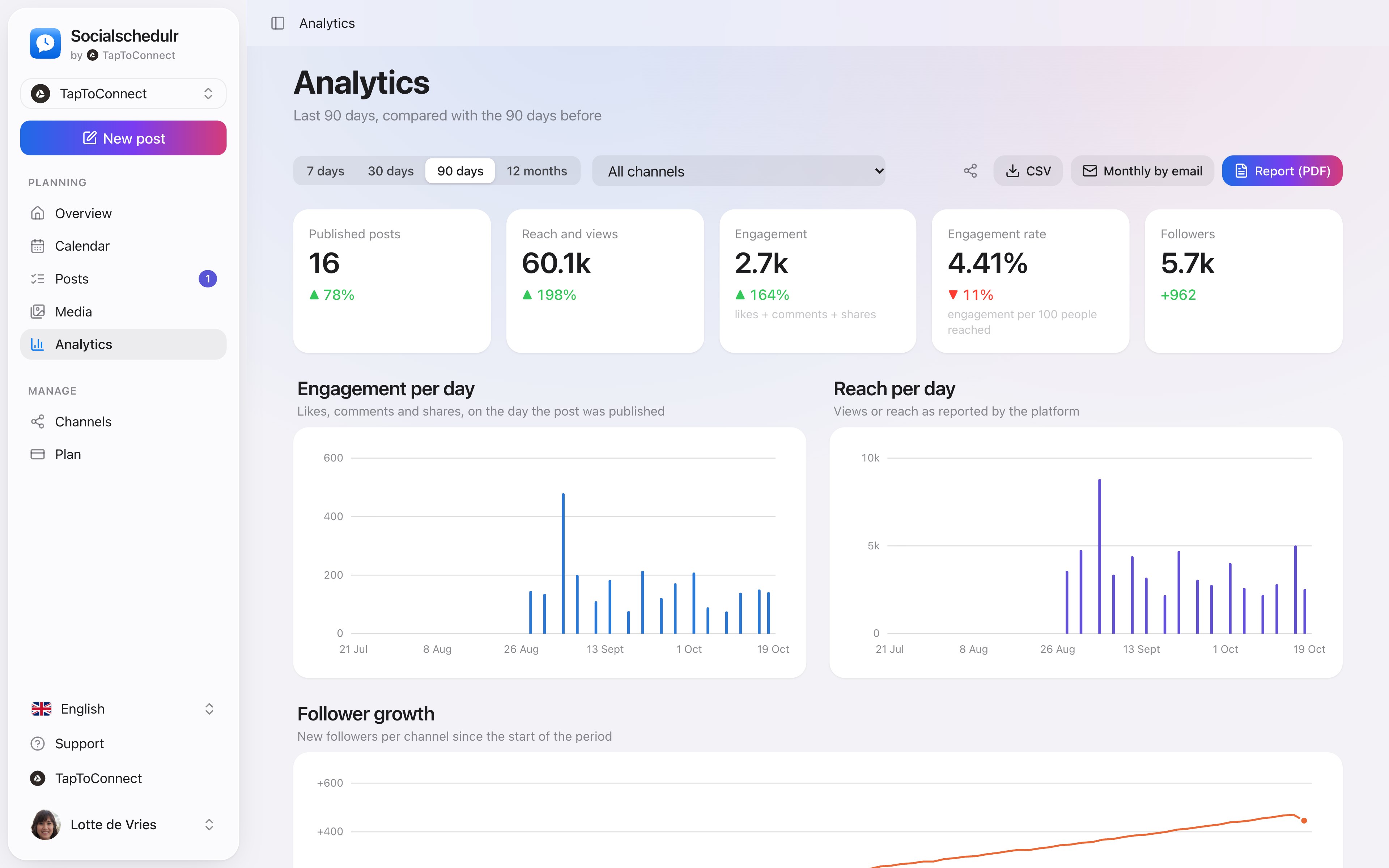
All your channels on one screen, compared with the previous period. So you see at a glance whether you are growing and which posts did best.
In short
- Periods of 7, 30 or 90 days or 12 months
- Per channel or all together
- Reach, interactions, engagement and followers
- Follower growth per channel and the best time to post
- All posts sortable by interactions, reach, likes or date
How it works.
- 1
Open Analytics
You see the past period straight away.
- 2
Pick a period and channel
All numbers are compared with the period before.
- 3
Look at your best posts
At the bottom, sortable by what matters to you.
What the numbers mean
| Number | Meaning |
|---|---|
| Reach and views | How often your posts were seen, as reported by the platform |
| Interactions | Likes, comments and shares |
| Engagement | Interactions per 100 reach |
| Followers | The total of your channels, with the growth in the period |
Platforms share numbers with some delay. Socialschedulr fetches them every hour. Not every platform shares everything: a personal LinkedIn profile, for example, does not share reach.
Step by step
You will find a detailed explanation with every button in the help centre: read the article.
See what works, and do more of it.
Reach, interactions and followers of all your channels on one screen, compared with the previous period. You see at a glance which posts performed best.
- Periods from 7 days to 12 months
- Follower growth per channel
- Export to CSV
Your best moment, from your own numbers.
The overview by day and hour shows when your posts got the most engagement. When you schedule, Socialschedulr suggests the three best moments.
- Based on your own posts, not on an average
- Per platform and per channel
- Pick it straight from the editor
Analytics.
Spoken and subtitled in English. You will find more videos in the help centre.
See it in action.
A few parts of Socialschedulr that fit this topic, shown with sample data.
Your month fills itself
Schedule posts on any day and see at a glance what is scheduled and published.
One post, six channels
Write it once and see how it looks on each channel.
Try it yourself.
All your socials in one calendar. Free for 14 days, no payment details. After that, pick a plan or carry on for free.