
 TapToConnect
The best time to post
on LinkedIn in 2026.
LinkedIn is a business platform, and you can see that in when people engage. But the best hours are later in the day than many people think.
In short
- Working days beat the weekend on LinkedIn. Sprout Social advises against weekends.
- Tuesday to Thursday are the strongest days according to Sprout Social. Buffer sees Wednesday as best and Monday as weakest.
- The best moments are not early morning: from 11:00 (Sprout Social) or between 15:00 and 20:00 (Buffer).
- Document posts, such as a PDF carousel, get the highest engagement rate.
What is the best time to post on LinkedIn in 2026?
On a working day, between late morning and late afternoon. Sprout Social sees the longest peaks on Tuesday, Wednesday and Thursday, from 11:00 to around 17:00. Buffer finds the highest engagement rate a little later: on weekdays between 15:00 and 20:00, with Wednesday 16:00 and Friday 15:00 and 16:00 as the best moments of the week. Both differ from the old advice to post early in the morning.
These are averages. They come from customers of two US tools, spread around the world. They say something about large groups, not about your followers. Use the table as a starting point, then look at your own numbers. In Socialschedulr, the best times feature shows when your own followers engaged most.
Best times per day
| Day | Sprout Social 2026: peak window | Buffer 2026: top three hours |
|---|---|---|
| Monday | 13:00 to 14:00 | 17:00, 21:00, 22:00 |
| Tuesday | 11:00 to 17:00 | 16:00, 17:00, 22:00 |
| Wednesday | 11:00 to 16:00 | 15:00, 16:00, 17:00 |
| Thursday | 11:00, and 13:00 to 17:00 | 17:00, 19:00, 21:00 |
| Friday | 11:00, and 13:00 to 14:00 | 15:00, 16:00, 17:00 |
| Saturday | None, not advised | 9:00, 18:00, 22:00 |
| Sunday | None, not advised | 6:00, 21:00, 22:00 |
Your followers’ local time. Sources: Sprout Social (2026) and Buffer (2026). Averages across thousands of accounts worldwide.
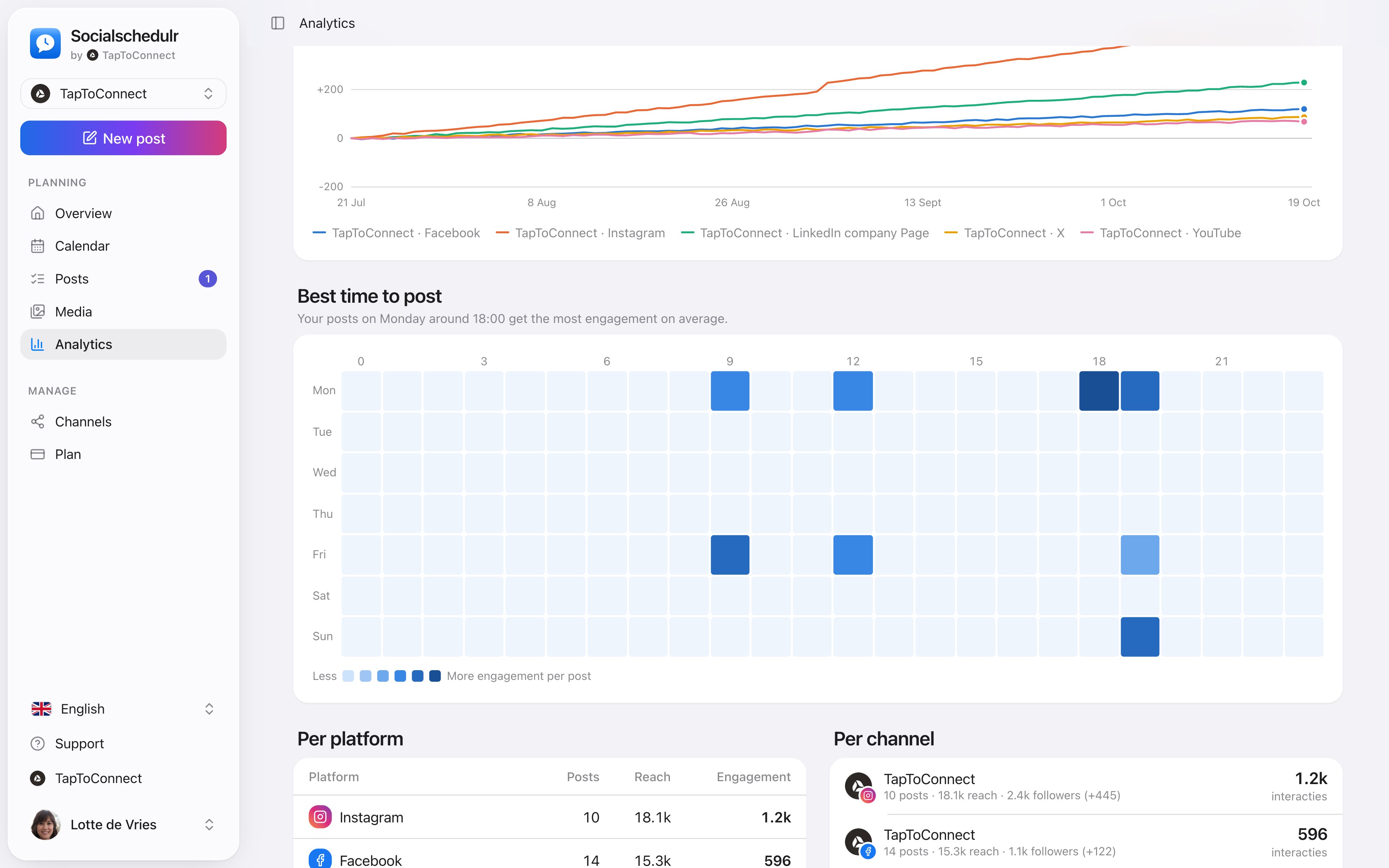
An overview by day and hour with the moments that got the most engagement
Why do the studies differ?
- Sprout Social (March 2026): nearly 2 billion engagements on about 307,000 profiles of more than 30,000 customers, measured from 27 November 2025 to 27 February 2026. Sprout shows the windows in which most engagement happened.
- Buffer (September 2026): over 4.8 million LinkedIn posts published through Buffer, ranked by median engagement rate per posting moment.
A post that goes live at 16:00 often collects its reactions the next morning, so both can be right. Posting for an international audience? A post at 15:00 Central European Time lands at 9:00 on the US East Coast.
Which post type works best on LinkedIn?
| Post type | Median engagement rate |
|---|---|
| Document (PDF carousel) | 21.77% |
| Video | 7.35% |
| Image | 6.52% |
| Text only | 3.18% |
Source: Buffer, best content format (March 2026). LinkedIn also counts clicks as engagement, and in a document every click to the next page is a click. That explains part of the gap.
How to find your best time
In Socialschedulr, Analytics shows per day and hour when your posts got the most engagement. In the editor, the three best moments of the past 90 days sit right next to the date: click and it is filled in.
Note: a personal LinkedIn profile does not share reach numbers with schedulers. For a company page you do see them.
Tips for LinkedIn
- LinkedIn is mainly used on working days. Only schedule at the weekend if your audience reads then too.
- A post from a colleague often reaches different people than a post from the company page. Use both.
- Reply to comments. Buffer found that LinkedIn posts where the account replied got about 30% more engagement (Buffer, 2026). That is a correlation, not proof, but it costs little.
Analytics.
Spoken and subtitled in English. You will find more videos in the help centre.
See it in action.
A few parts of Socialschedulr that fit this topic, shown with sample data.
Your month fills itself
Schedule posts on any day and see at a glance what is scheduled and published.
One post, six channels
Write it once and see how it looks on each channel.
Your client approves on their phone
Through a link, without an account. Then the post is scheduled automatically.
Frequently asked questions.
Does Socialschedulr suggest the best time for LinkedIn?
Yes. When you schedule, click the star next to the date. You see three moments when your posts got the most engagement in the past 90 days, for LinkedIn too. If you have not posted much yet, you see general advice.
Read next
Try it yourself.
All your socials in one calendar. Free for 14 days, no payment details. After that, pick a plan or carry on for free.