
 TapToConnect
Choosing a scheduler.
Eight questions.
There are dozens of schedulers. With these eight questions you pick one that fits.
Eight questions
- Does it support all your platforms and post types?
- How does it charge: per channel, per user or per plan?
- Are the features you need in the plan you can afford?
- Can you approve posts, including with a client who has no account?
- Can you make reports and send them automatically?
- Is there a free plan or a trial?
- Does it invoice properly, with VAT where needed?
- Where is your data stored?
How to test a scheduler
- Connect your real channels, not just a test account.
- Schedule a week of posts, with photos, video and a Reel or Short.
- Have a colleague or client approve a post.
- After a week, look at the analytics and download a report.
After two weeks you know whether a scheduler suits you. You can try Socialschedulr with every feature for 14 days, without payment details.
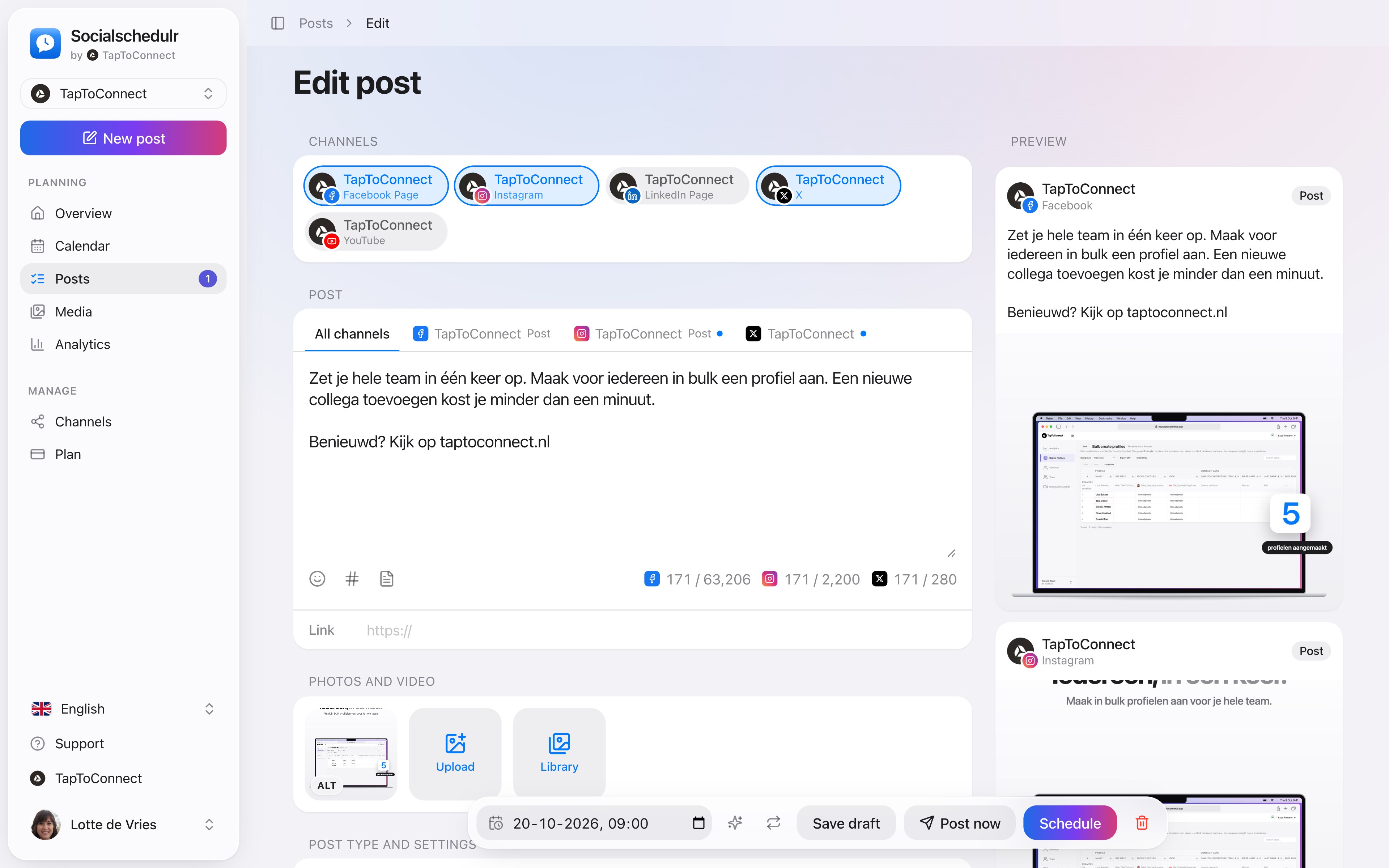
The post editor with a separate text per channel and a preview on the right
Compare
See our comparisons with Buffer, Hootsuite, Later, Metricool, Planable and others.
How to do this in Socialschedulr.
Write it once. Adjust where needed.
Pick your channels and write one text. Want to sound more businesslike on LinkedIn than on Instagram? Give that channel its own text. On the right you see how the post looks on each channel.
- A preview per channel of how your post will look
- Character counter per platform, from X to YouTube
- A clear message when something is still missing
- Three suggested times based on your own analytics
Your client approves with one click.
Send a link and your client sees the post exactly as it will appear online, per channel. Approving or asking for changes works straight away, without an account.
- No account or password needed for your client
- In two steps: first your colleague, then the client
- Comments land right next to the post
See what works, and do more of it.
Reach, interactions and followers of all your channels on one screen, compared with the previous period. You see at a glance which posts performed best.
- Periods from 7 days to 12 months
- Follower growth per channel
- Export to CSV
Your first post in five minutes.
Spoken and subtitled in English. You will find more videos in the help centre.
Read next
Try it yourself.
All your socials in one calendar. Free for 14 days, no payment details. After that, pick a plan or carry on for free.