
 TapToConnect
Engagement rate calculator.
Free, instant, no account.
How well is your post doing? Enter the numbers of one post and see the engagement rate right away, by reach and by followers. Nothing is stored.
Calculate your engagement rate
Which engagement rate should you use?
By reach shows how many of the people who saw your post did something with it. That is the fairest way to compare your own posts. By followers helps to compare accounts of different sizes, and works when you do not know the reach.
The formula: likes, comments, shares and saves added up, divided by reach (or followers), times 100.
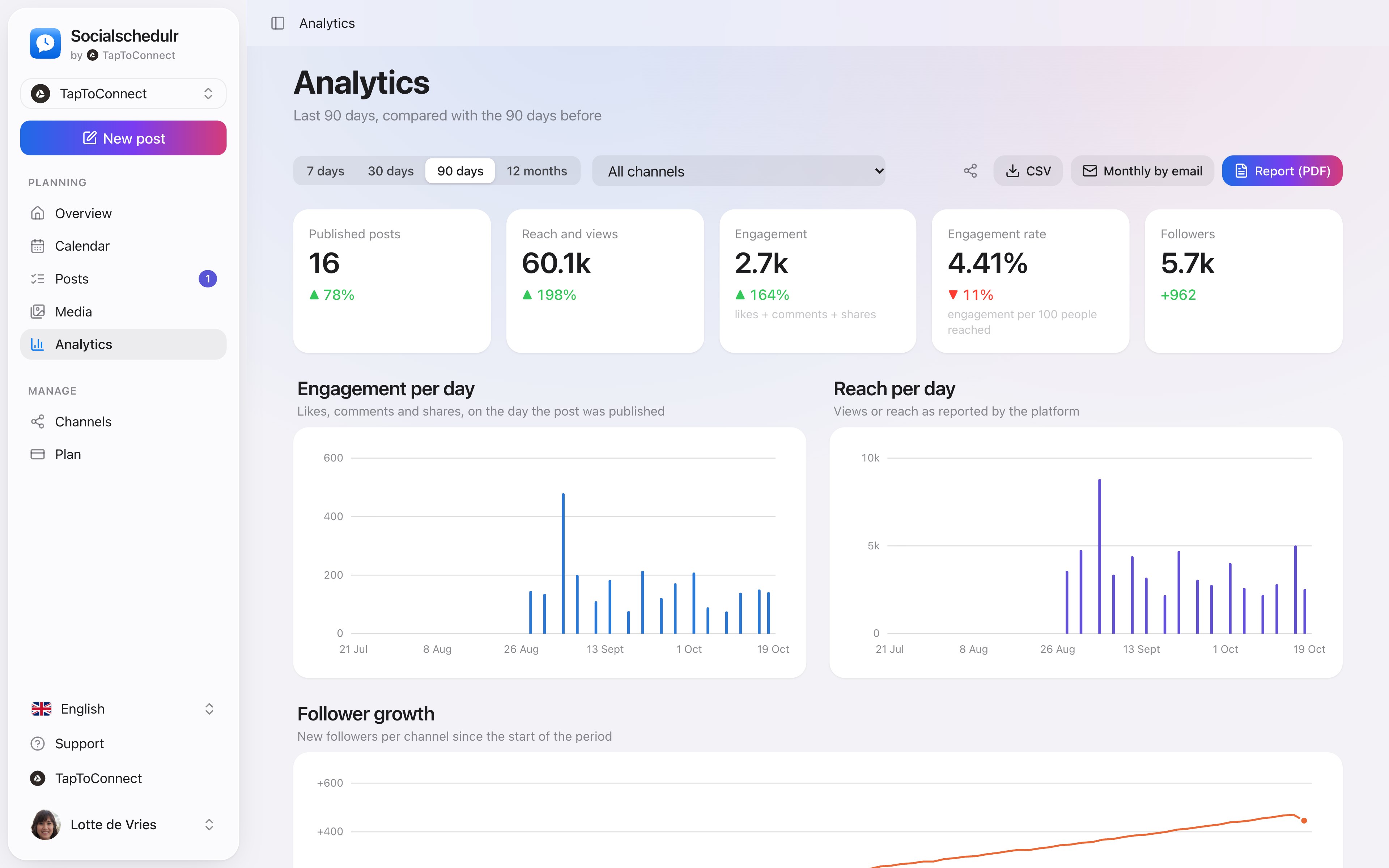
Analytics with reach, interactions and followers compared with the previous period
How to do this in Socialschedulr.
See what works, and do more of it.
Reach, interactions and followers of all your channels on one screen, compared with the previous period. You see at a glance which posts performed best.
- Periods from 7 days to 12 months
- Follower growth per channel
- Export to CSV
Analytics.
Spoken and subtitled in English. You will find more videos in the help centre.
See it in action.
A few parts of Socialschedulr that fit this topic, shown with sample data.
Your feed, before it goes live
Scheduled posts appear above your latest real posts.
A whole month in one go
Import your posts from Excel or Google Sheets, up to 200 at once.
Frequently asked questions.
Are my numbers stored?
No. The calculation runs in your browser. Nothing is stored or sent.
Try it yourself.
All your socials in one calendar. Free for 14 days, no payment details. After that, pick a plan or carry on for free.