
 TapToConnect
More engagement.
Ten tips.
Engagement shows platforms that your post is worth it, and it puts you in touch with your customers.
Ten tips
- Ask a question
- Reply yourself in the first hour
- Post at your best moments
- Use video
- Show people, not just products
- Start with a strong first sentence
- Use a clear call to action
- Share customer stories (with permission)
- Be consistent
- See what worked and do more of it
Measure what works
Do not just look at the number of likes, but at interactions per 100 people reached. That way you fairly compare a post many people saw with a post few people saw. Socialschedulr shows this as the engagement rate, per period and per channel.
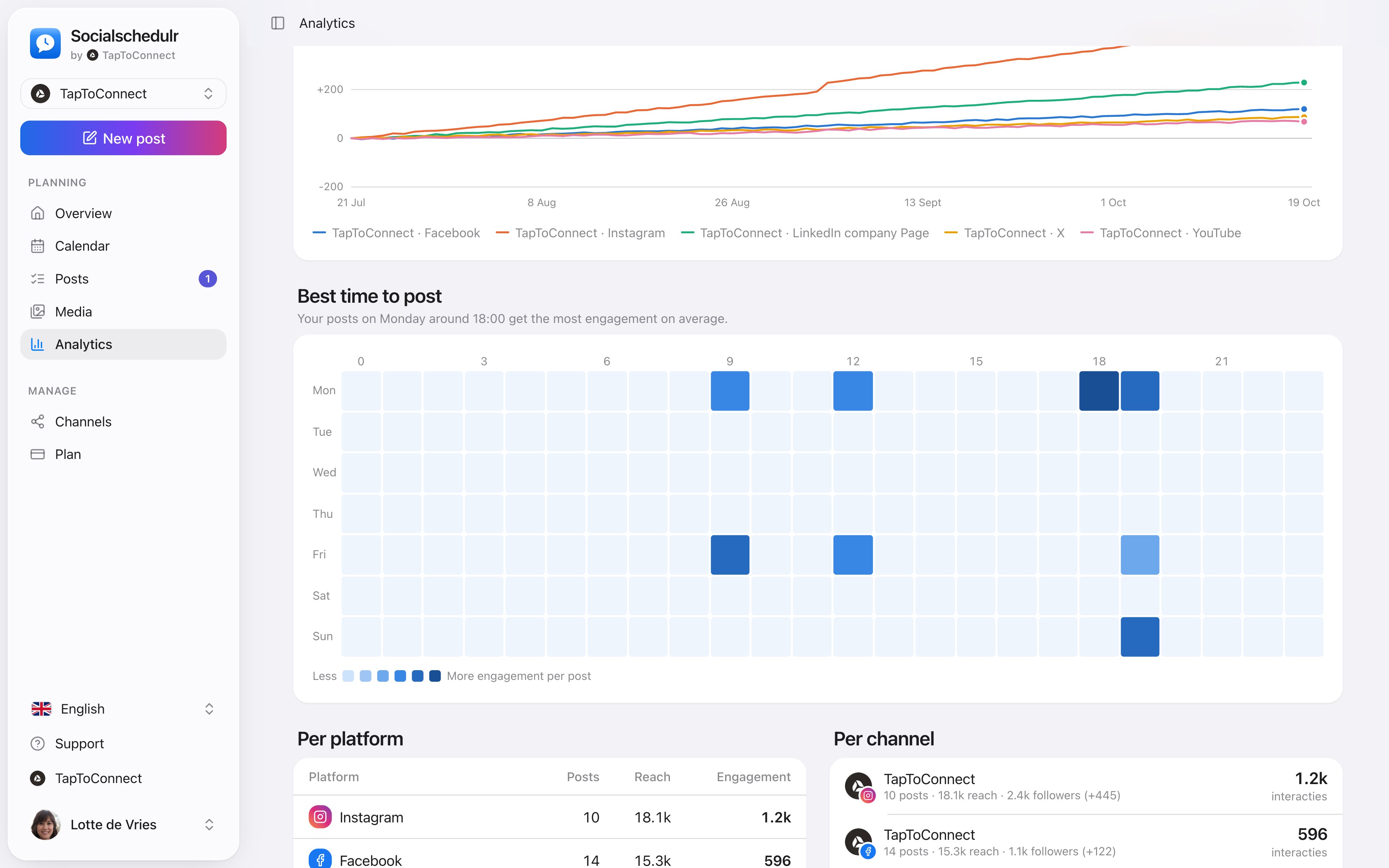
An overview by day and hour with the moments that got the most engagement
How to do this in Socialschedulr.
Your best moment, from your own numbers.
The overview by day and hour shows when your posts got the most engagement. When you schedule, Socialschedulr suggests the three best moments.
- Based on your own posts, not on an average
- Per platform and per channel
- Pick it straight from the editor
The right format for each channel.
The same post can be a Reel on Instagram, a Short on YouTube and a regular post on Facebook. Socialschedulr checks whether your photos and videos meet the requirements of each platform.
- Reels and stories on Facebook and Instagram
- Carousels of up to 10 photos and videos on Instagram
- Shorts and videos on YouTube, with title, tags and thumbnail
- TikTok settings such as who can comment or make a Duet
Analytics.
Spoken and subtitled in English. You will find more videos in the help centre.
See it in action.
A few parts of Socialschedulr that fit this topic, shown with sample data.
Schedule from your AI assistant
Ask in plain language. After you confirm, it is in your calendar.
Your feed, before it goes live
Scheduled posts appear above your latest real posts.
Read next
Try it yourself.
All your socials in one calendar. Free for 14 days, no payment details. After that, pick a plan or carry on for free.