
 TapToConnect
AI for social media.
Smart, not bland.
An AI assistant helps you write and plan faster. Your own voice and knowledge remain the difference.
What AI is good at
- Coming up with ideas around a theme
- Shortening a text for X or making it more businesslike for LinkedIn
- Variants of a first sentence
- Suggesting a monthly plan
What you write yourself
- Experiences and opinions
- Customer stories
- Anything that needs your expertise
- The check: is it correct, and does it sound like you?
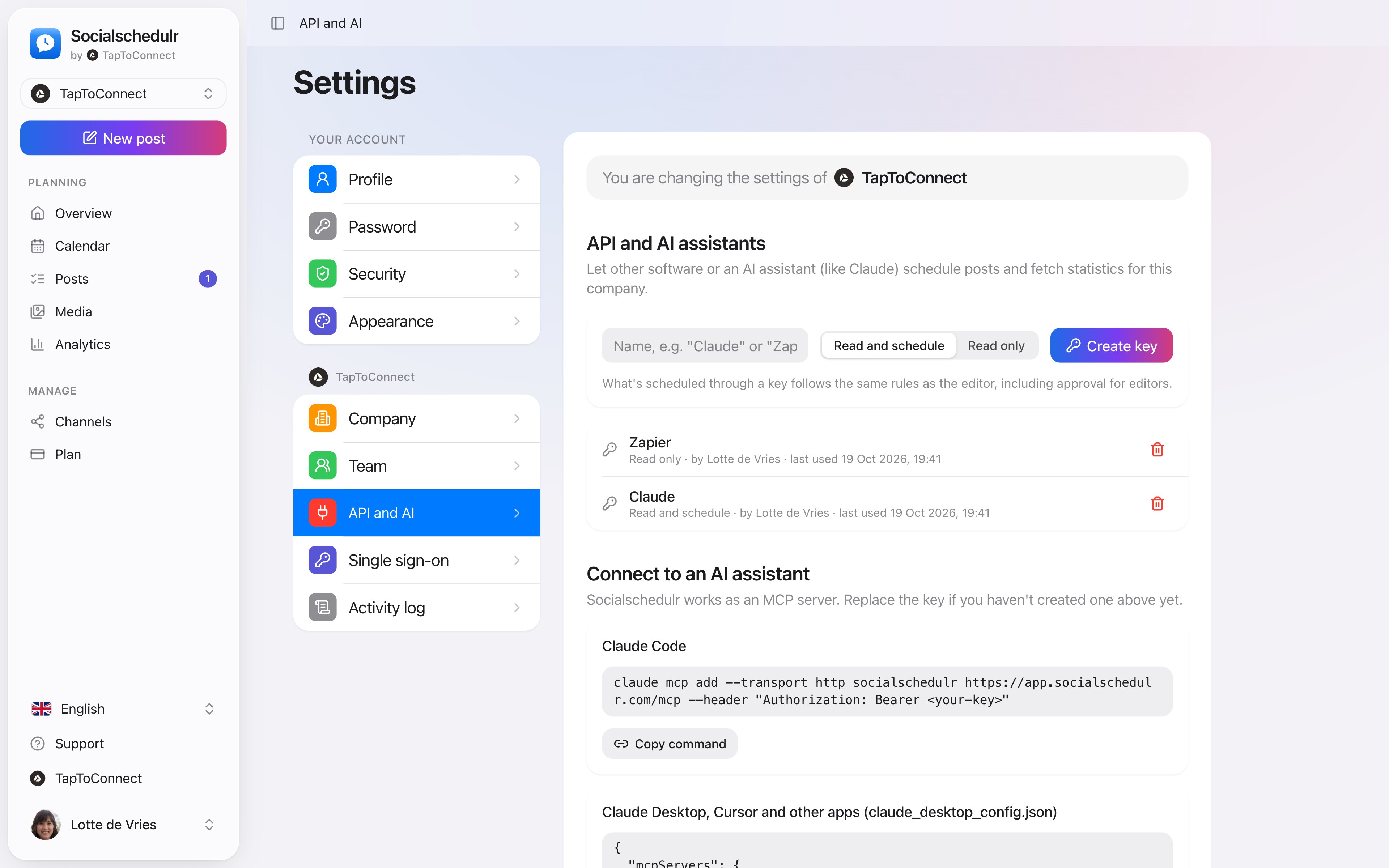
The settings for the API and AI assistants
A good prompt for your AI assistant
The more specific you ask, the better the result. Tell your assistant:
- Who you are and who you write for
- Which platform the post is for
- The tone: businesslike, light, with or without emoji
- An example of a post that did well
Write an Instagram post for our bakery about the new sourdough bread. Light, at most 60 words, with two emoji and a question at the end.
Always read the result. Is it correct, does it suit your business and would you say it like that?
From your assistant to your calendar
With the AI integration your assistant puts posts straight into your Socialschedulr calendar, after you confirm.
How to do this in Socialschedulr.
Schedule from Claude or ChatGPT.
Connect Socialschedulr to your AI assistant. Ask for a post, and after you confirm, the assistant puts it in your calendar. You can ask for your analytics the same way.
- Works with Claude, ChatGPT and other MCP assistants
- Choose whether the assistant may only read or also schedule
- Approval for editors still applies
Write it once. Adjust where needed.
Pick your channels and write one text. Want to sound more businesslike on LinkedIn than on Instagram? Give that channel its own text. On the right you see how the post looks on each channel.
- A preview per channel of how your post will look
- Character counter per platform, from X to YouTube
- A clear message when something is still missing
- Three suggested times based on your own analytics
Scheduling from your AI assistant.
Spoken and subtitled in English. You will find more videos in the help centre.
See it in action.
A few parts of Socialschedulr that fit this topic, shown with sample data.
Reels, TikToks and Shorts
One video, the right format and settings per platform.
Everyone their own role
Owner, admin or editor, with an activity log of who did what.
Try it yourself.
All your socials in one calendar. Free for 14 days, no payment details. After that, pick a plan or carry on for free.