
 TapToConnect
Evergreen content.
Make it once, use it more often.
Not every post needs to be new. A good tip is still a good tip three months from now.
What is evergreen?
Posts that do not go out of date: tips, explanations, frequently asked questions, how you work and your opening hours.
Examples of evergreen posts
- How to book an appointment or order
- The five questions customers ask most
- Who works in your team
- How your product is made
- A customer story that is still true
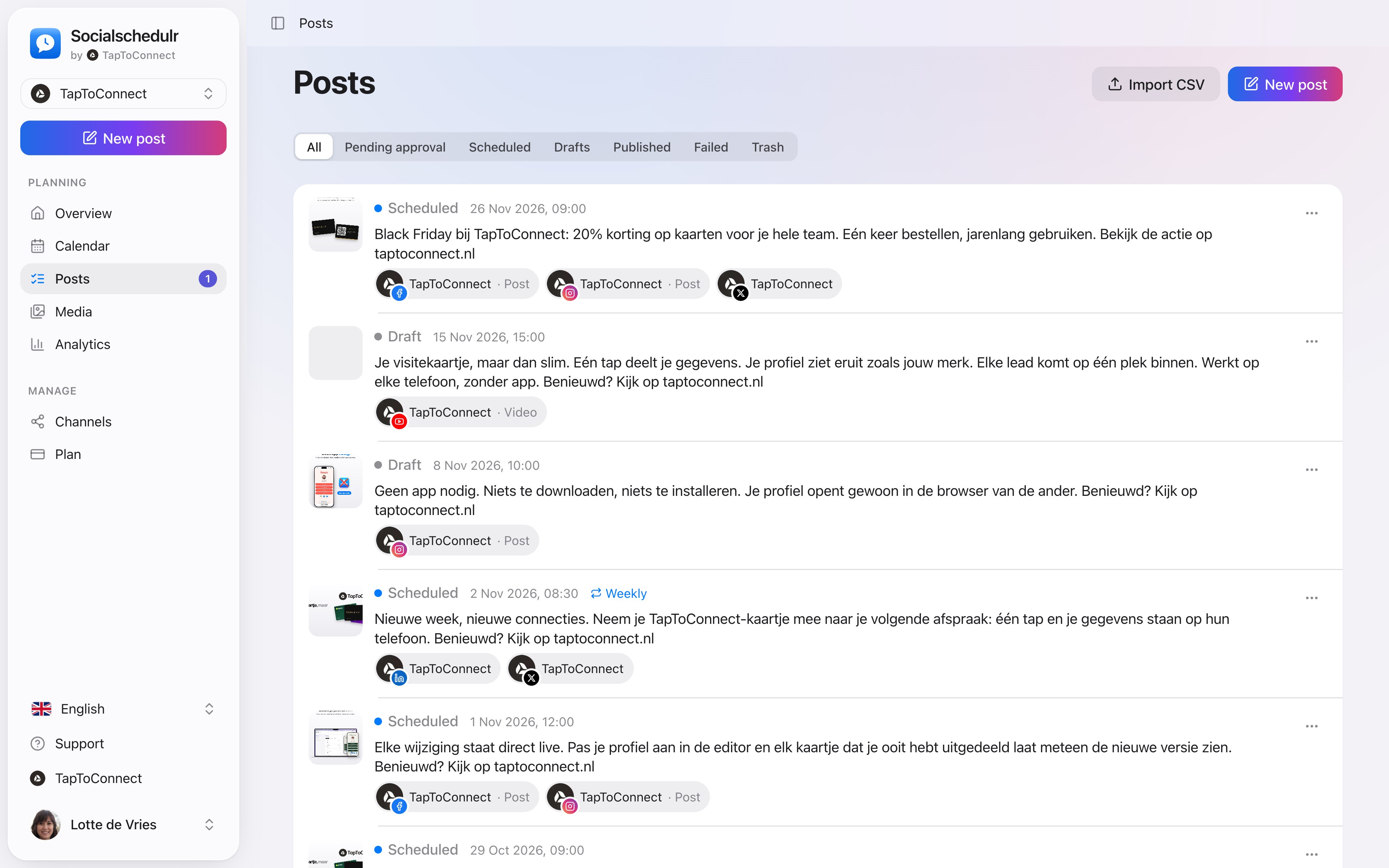
The list of posts with statuses and a weekly recurring post
Reusing them
Let them come back as a recurring post, for example every month or every quarter, or post them again with a new photo or first sentence, so it looks fresh each time. See recurring posts.
How to do this in Socialschedulr.
Always know where things stand.
In the list of posts you filter on scheduled, draft, awaiting approval, published or failed. A recurring post has a weekly or monthly label.
- Repeat a post every day, week or month
- Failed? You see exactly why
- Deleted posts go to the trash first
Two hundred posts in one go.
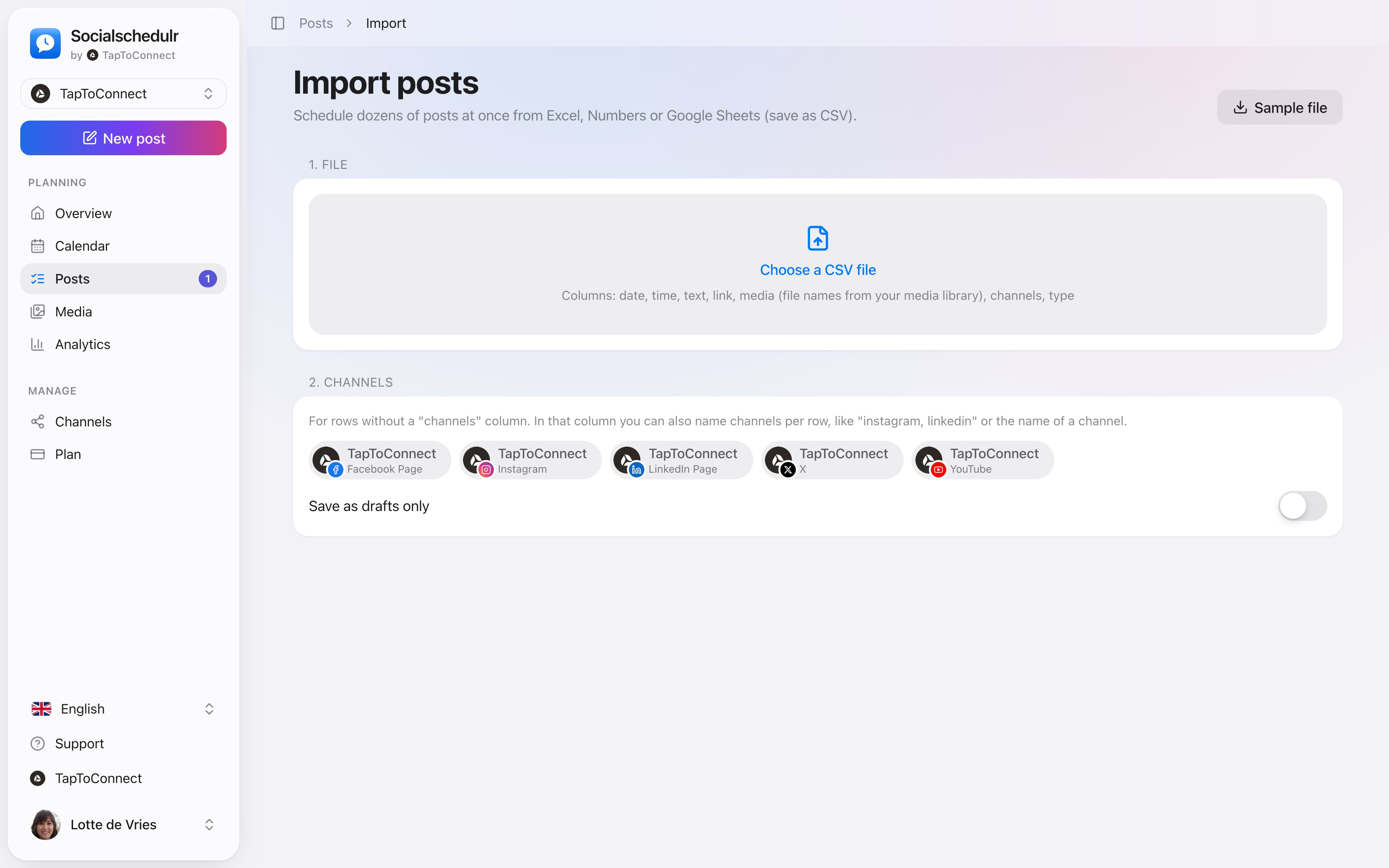
Put your posts in Excel, Numbers or Google Sheets, save as CSV and import them. Date, time, text, link, photo and channels all land in the right place.
- Up to 200 posts per import
- A sample file to get you started
- Choose whether they are scheduled straight away or saved as drafts first
Posts and calendar.
Spoken and subtitled in English. You will find more videos in the help centre.
See it in action.
A few parts of Socialschedulr that fit this topic, shown with sample data.
Your feed, before it goes live
Scheduled posts appear above your latest real posts.
Your best moment
From your own numbers: three suggested moments, picked in one click.
Try it yourself.
All your socials in one calendar. Free for 14 days, no payment details. After that, pick a plan or carry on for free.