
 TapToConnect
API.
For your own integrations.
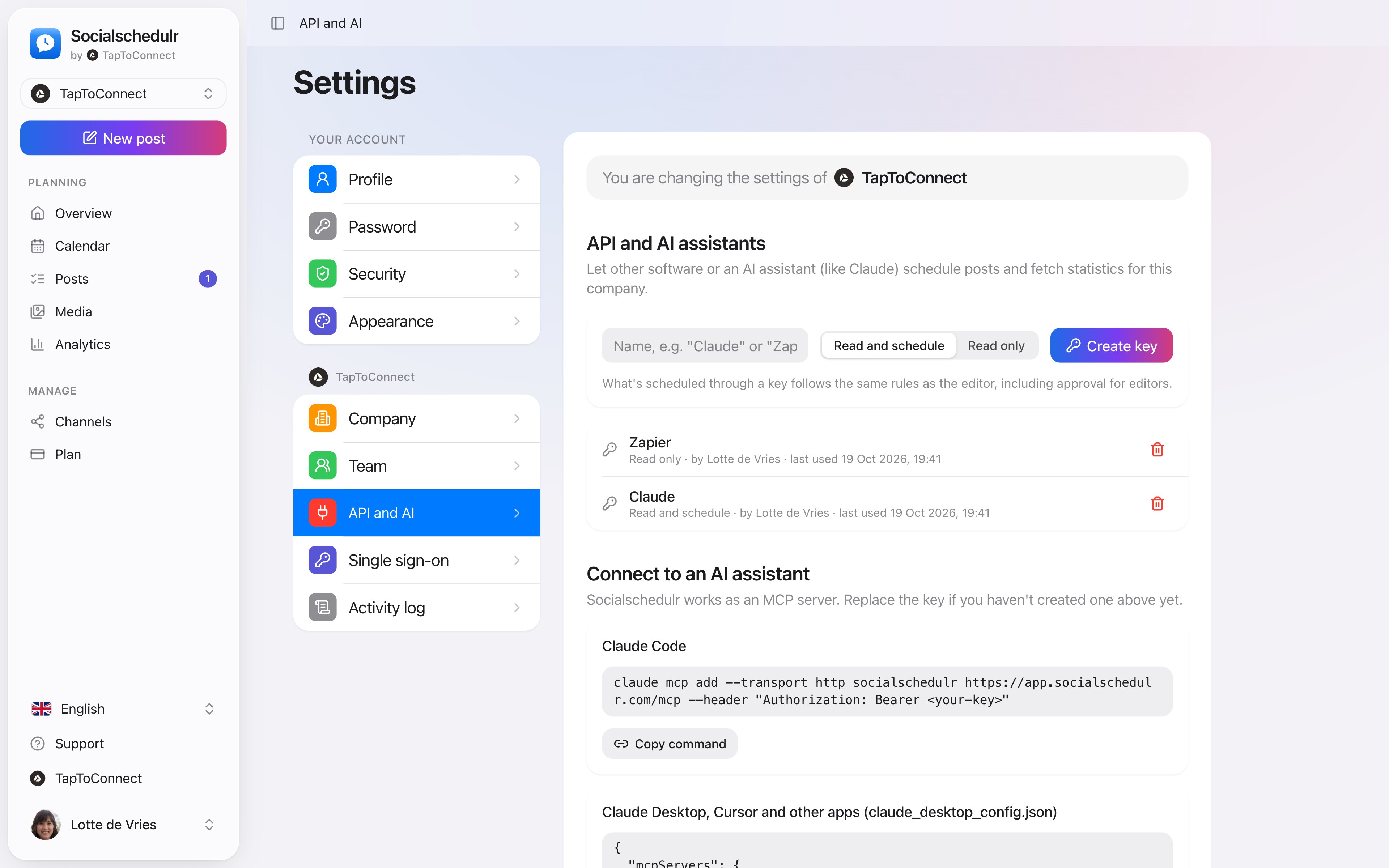
With an API key, other software can schedule posts and fetch numbers on behalf of your company. For developers, or for tools like Zapier and Make.
In short
- Keys with read only or read and schedule
- A key only works for the company you created it in
- 120 requests per minute per key
- Revoking works immediately
- The activity log shows who created a key
How it works.
- 1
Create a key
Settings, API and AI. You only see it once.
- 2
Read the documentation
The base URL and the endpoints are on the same page.
- 3
Build your integration
Or use Zapier or Make.
Treat a key like a password
Only owners and admins can create keys. When you no longer use a key, revoke it with the trash icon. Integrations that use it stop working immediately.
Step by step
You will find a detailed explanation with every button in the help centre: read the article.
Schedule from Claude or ChatGPT.
Connect Socialschedulr to your AI assistant. Ask for a post, and after you confirm, the assistant puts it in your calendar. You can ask for your analytics the same way.
- Works with Claude, ChatGPT and other MCP assistants
- Choose whether the assistant may only read or also schedule
- Approval for editors still applies
Scheduling from your AI assistant.
Spoken and subtitled in English. You will find more videos in the help centre.
See it in action.
A few parts of Socialschedulr that fit this topic, shown with sample data.
A whole month in one go
Import your posts from Excel or Google Sheets, up to 200 at once.
Your best moment
From your own numbers: three suggested moments, picked in one click.
Read next
Try it yourself.
All your socials in one calendar. Free for 14 days, no payment details. After that, pick a plan or carry on for free.