
 TapToConnect
The activity log.
Who did what, and when.
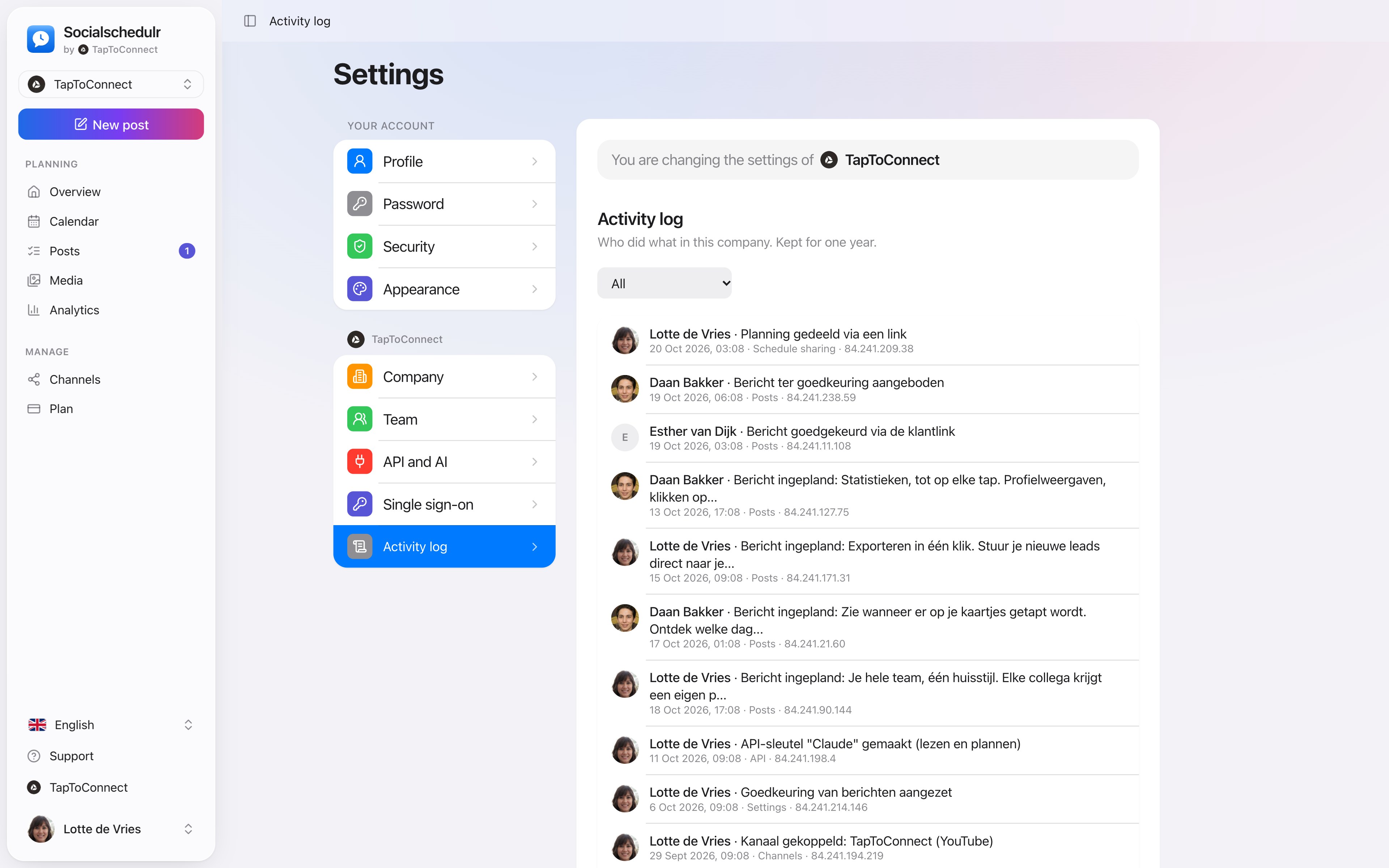
The activity log shows who scheduled, edited, approved or deleted posts, who connected channels and who joined the team. Handy when several people work together.
In short
- Posts, channels, team, security, API, subscription and settings
- Approvals by a client too
- Filter by topic
- Click a line to open the post
- Only visible to the owner and admins
How it works.
- 1
Go to Activity log
Settings, Activity log.
- 2
Filter
For example only Posts or Team.
- 3
Click through
A line about a post opens that post.
When you need the activity log
- A post has disappeared and you want to know who deleted it, and when. Then you restore it from the trash.
- A client asks who approved a post. The log shows it, also when the client approved through the link.
- A colleague leaves. You see which channels and API keys that person created.
- For the GDPR you want to be able to show who had access and what happened.
The activity log keeps everything for a year. After that, old lines are deleted automatically.
Step by step
You will find a detailed explanation with every button in the help centre: read the article.
See who did what, and when.
The activity log records who scheduled, edited, approved or deleted posts, who connected channels and who joined the team. For a whole year.
- Filter on posts, channels, team, security and more
- Click a line to open the post
- Only visible to the owner and admins
Team and approval.
Spoken and subtitled in English. You will find more videos in the help centre.
See it in action.
A few parts of Socialschedulr that fit this topic, shown with sample data.
Your month fills itself
Schedule posts on any day and see at a glance what is scheduled and published.
One post, six channels
Write it once and see how it looks on each channel.
Read next
Try it yourself.
All your socials in one calendar. Free for 14 days, no payment details. After that, pick a plan or carry on for free.