
 TapToConnect
The first comment.
Hashtags or a link below.
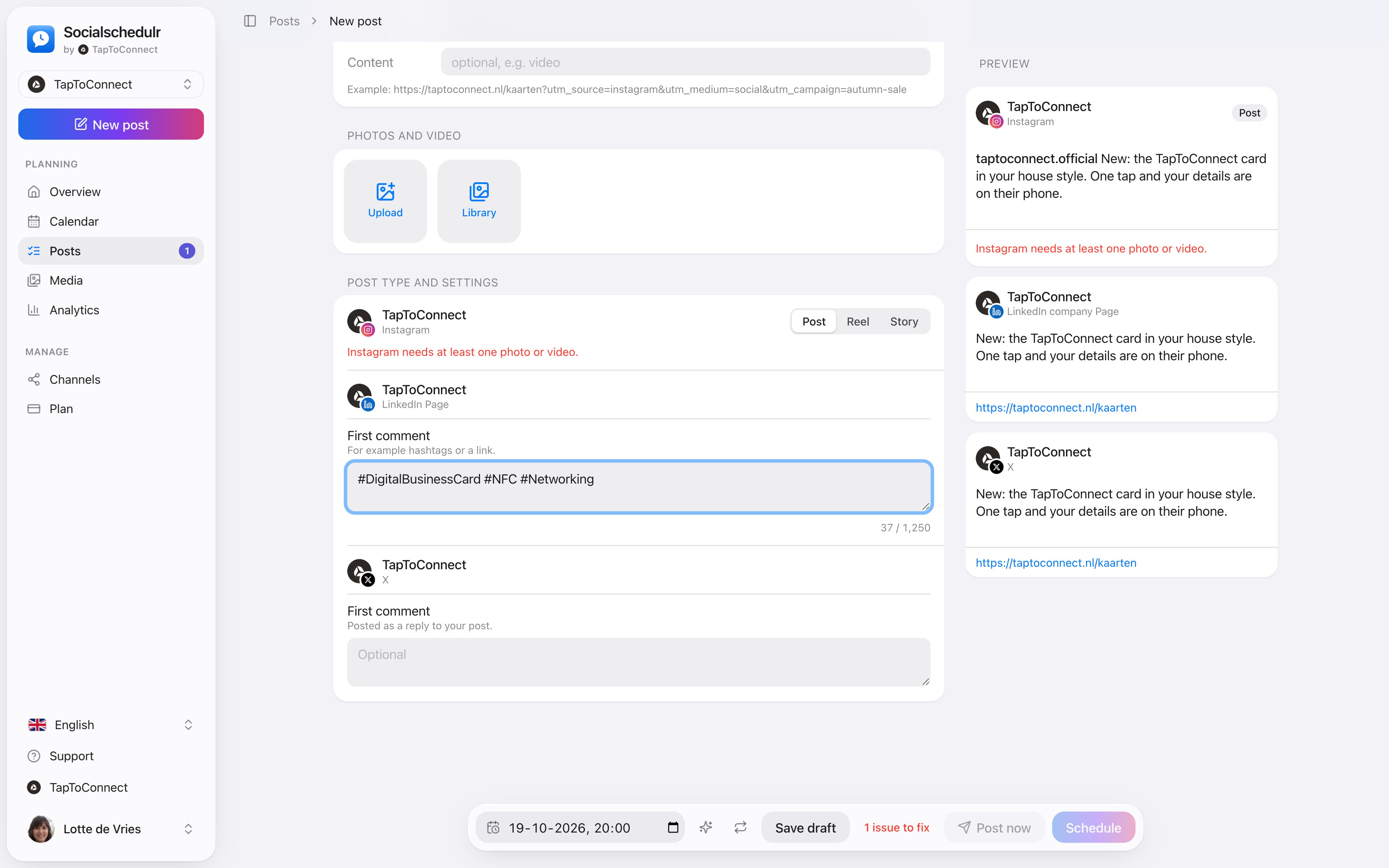
On LinkedIn and X, Socialschedulr posts a first comment straight after your post. Your post itself stays clean, and your hashtags or link are still there.
In short
- Available for LinkedIn and X
- Posted as a reply to your post on X
- A separate first comment per channel
- If the comment fails, your post simply stays up
How it works.
- 1
Pick LinkedIn or X
First comment appears under Post type and settings.
- 2
Write the comment
For example your hashtags or a link to your website.
- 3
Schedule it
The comment follows straight after your post.
And Facebook, Instagram and YouTube?
For Facebook, Instagram and YouTube this option will become available later. For now, put hashtags and links in the text itself on those channels.
Step by step
You will find a detailed explanation with every button in the help centre: read the article.
Hashtags or a link right below.
On LinkedIn and X, Socialschedulr posts a first comment straight after your post. Handy for hashtags or a link, so your post itself stays clean.
- Posted as a reply to your post on X
- If the comment fails, your post simply stays up
- A separate first comment per channel
Posts and calendar.
Spoken and subtitled in English. You will find more videos in the help centre.
See it in action.
A few parts of Socialschedulr that fit this topic, shown with sample data.
Your month fills itself
Schedule posts on any day and see at a glance what is scheduled and published.
Your client approves on their phone
Through a link, without an account. Then the post is scheduled automatically.
Try it yourself.
All your socials in one calendar. Free for 14 days, no payment details. After that, pick a plan or carry on for free.