
 TapToConnect
Single sign-on.
Log in with your work account.
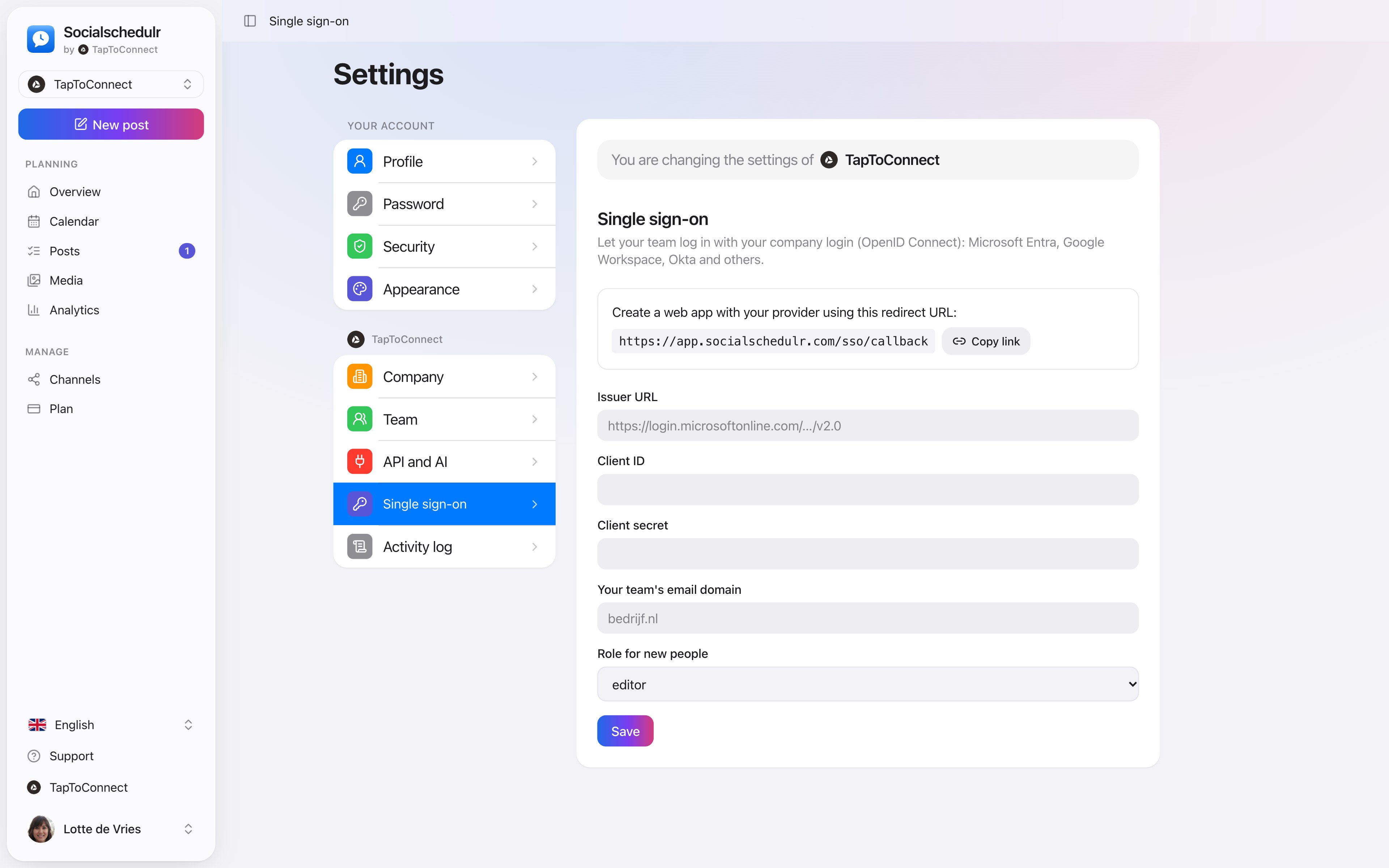
Let your team log in with the login they already have. Socialschedulr works with any provider that supports OpenID Connect, such as Microsoft Entra, Google Workspace and Okta.
In short
- OpenID Connect: Microsoft Entra, Google Workspace, Okta and others
- The email domain decides which company someone logs into
- New colleagues automatically get a default role
- An existing account at another company can never be taken over
How it works.
- 1
Create an app with your provider
Using the redirect URL that Socialschedulr shows.
- 2
Fill in the details
Issuer URL, client ID, client secret and your email domain.
- 3
Choose a default role
For example editor, and save.
How your team logs in
On the login screen, your colleague clicks Log in with SSO and enters their work email. Socialschedulr recognises the domain and sends them to your company’s login. When someone leaves, you disable them with your provider and they can no longer access Socialschedulr either.
Log in with your work account.
Let your team log in with your company login, via OpenID Connect. Works with Microsoft Entra, Google Workspace, Okta and other providers.
- The email domain decides the company
- New colleagues automatically get a default role
- An existing account elsewhere can never be taken over
Team and approval.
Spoken and subtitled in English. You will find more videos in the help centre.
See it in action.
A few parts of Socialschedulr that fit this topic, shown with sample data.
On your phone too
No app needed: your schedule and posts in any browser.
Your month fills itself
Schedule posts on any day and see at a glance what is scheduled and published.
Try it yourself.
All your socials in one calendar. Free for 14 days, no payment details. After that, pick a plan or carry on for free.